¶ How to disable the KAMP(Klipper Adaptive Mesh Pressure)
Default KAMP Setting: Enabled
KAMP (Klipper Adaptive Mesh Pressure) is enabled by default to improve first-layer quality and overall printing efficiency.
¶ Benefits of KAMP
Faster bed probing
Only the area required for the model is probed, reducing preparation time.
Improved first-layer accuracy
Adaptive mesh probing provides more precise bed compensation for the printed area.
Optimized for small and medium prints
Especially effective when printing smaller models, where full bed probing is unnecessary.
¶ When You May Want to Disable KAMP
In some scenarios, disabling KAMP may provide more consistent results:
Large models covering most of the build plate
Prints that require maximum stability and uniform compensation
Users who prefer a full bed mesh for every print
In these cases, a Full Bed Mesh may offer more predictable behavior.
How to enable KAMP (advanced users only):
Please adjust parameters according to your print size and requirements.
¶ How to Disable KAMP (Advanced Users Only)
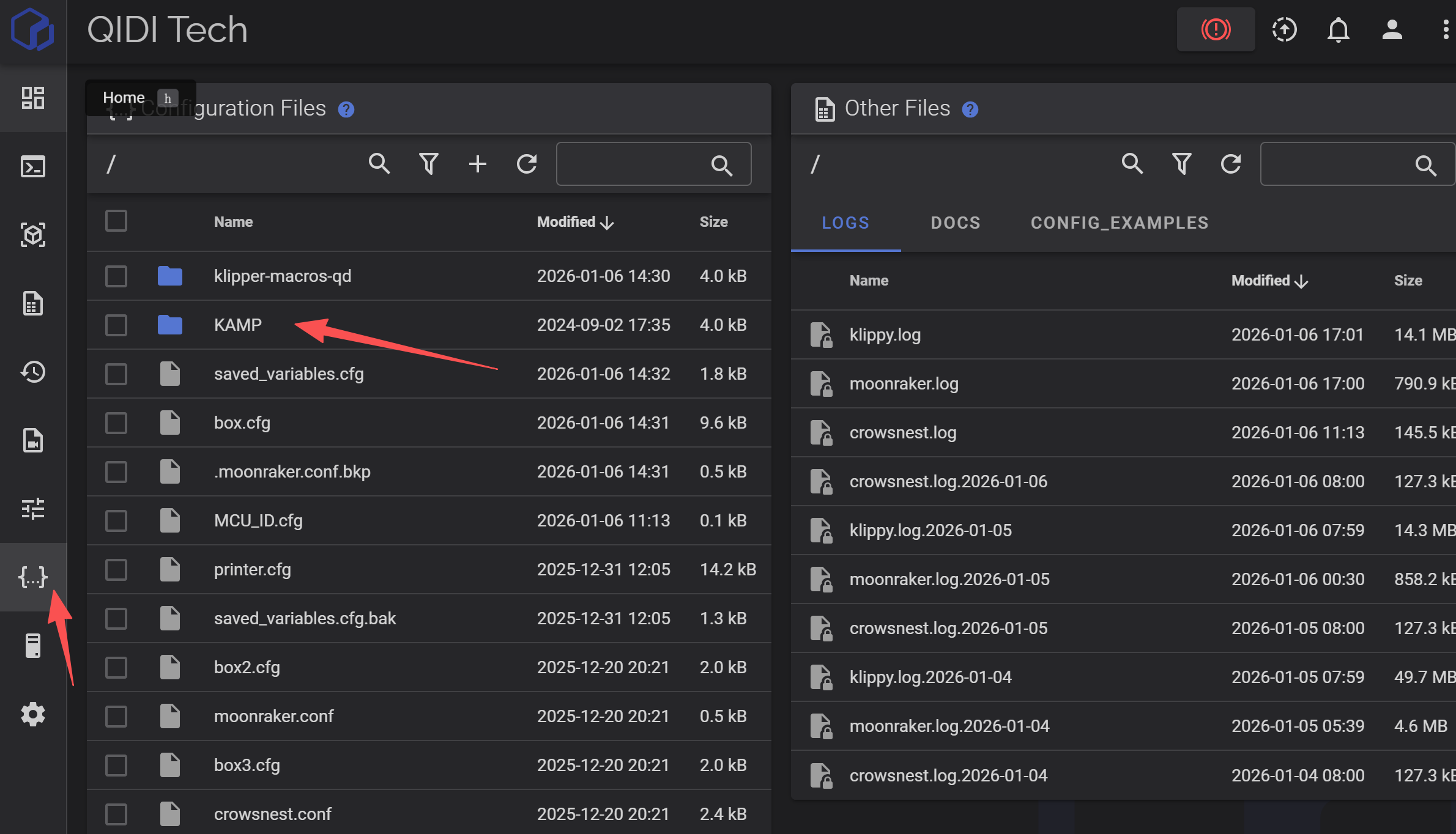
Open the printer.cfg file.
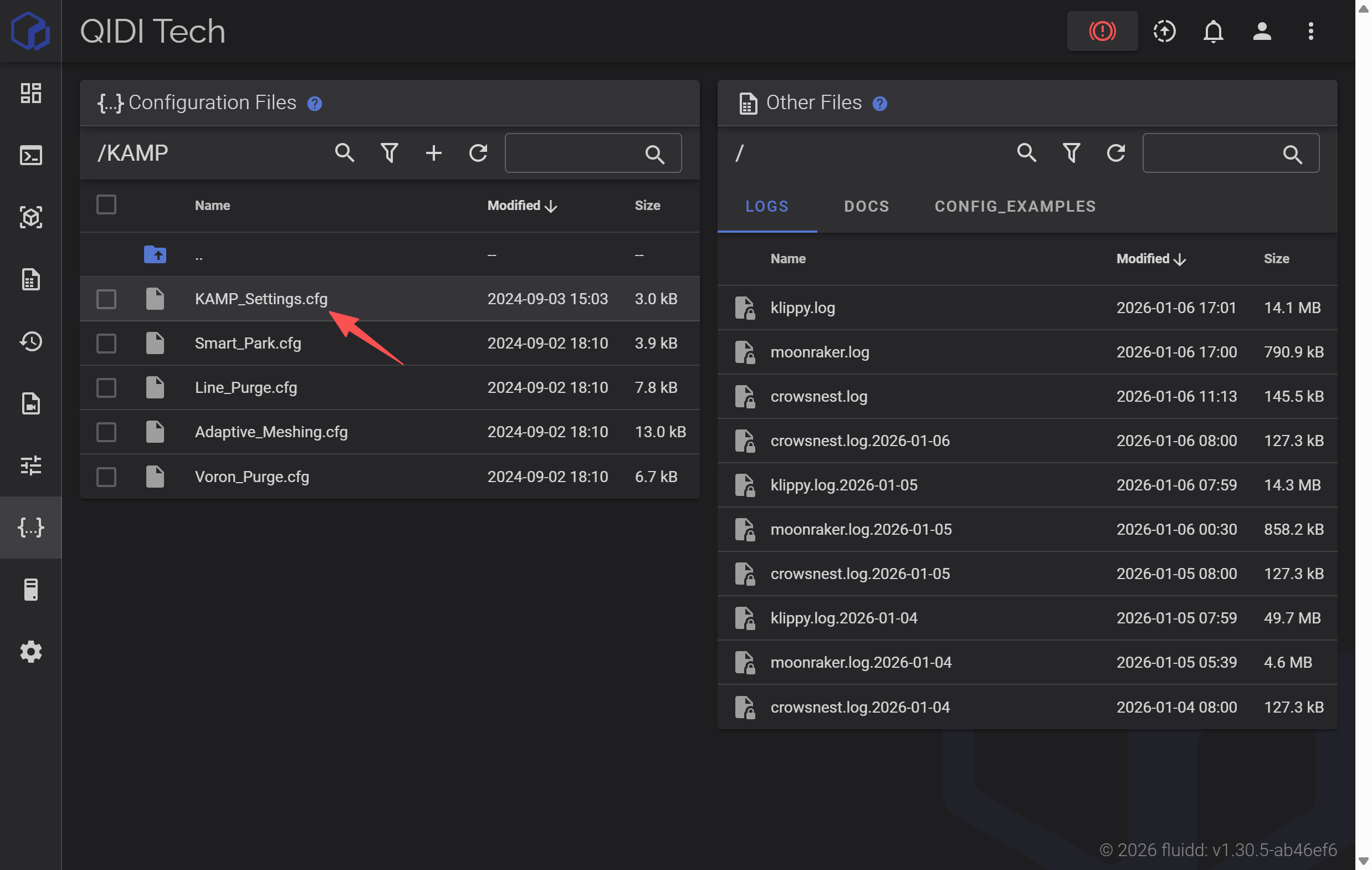
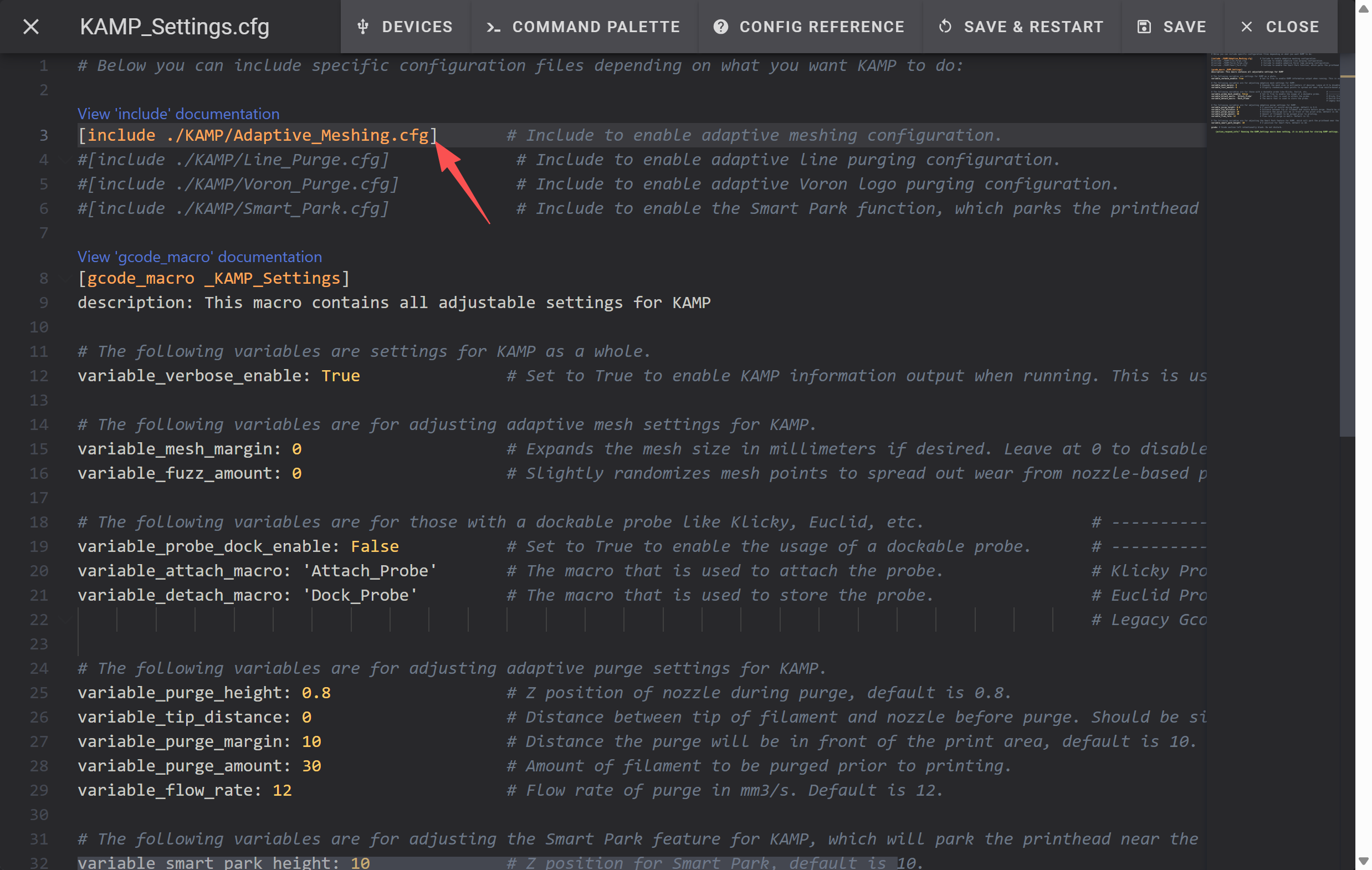
Locate the KAMP-related configuration section.
Add the comment symbol # before the KAMP configuration lines to disable them.
Click SAVE & RESTART to apply the changes.