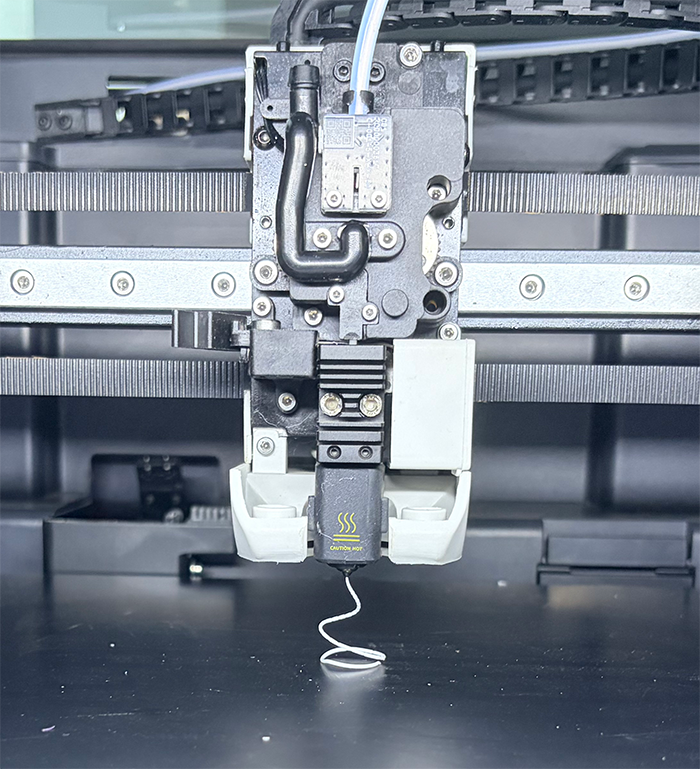
This page provides two feeding methods for X-Plus5: automatic feeding and manual feeding. The following operations are demonstrated using official PLA filament.
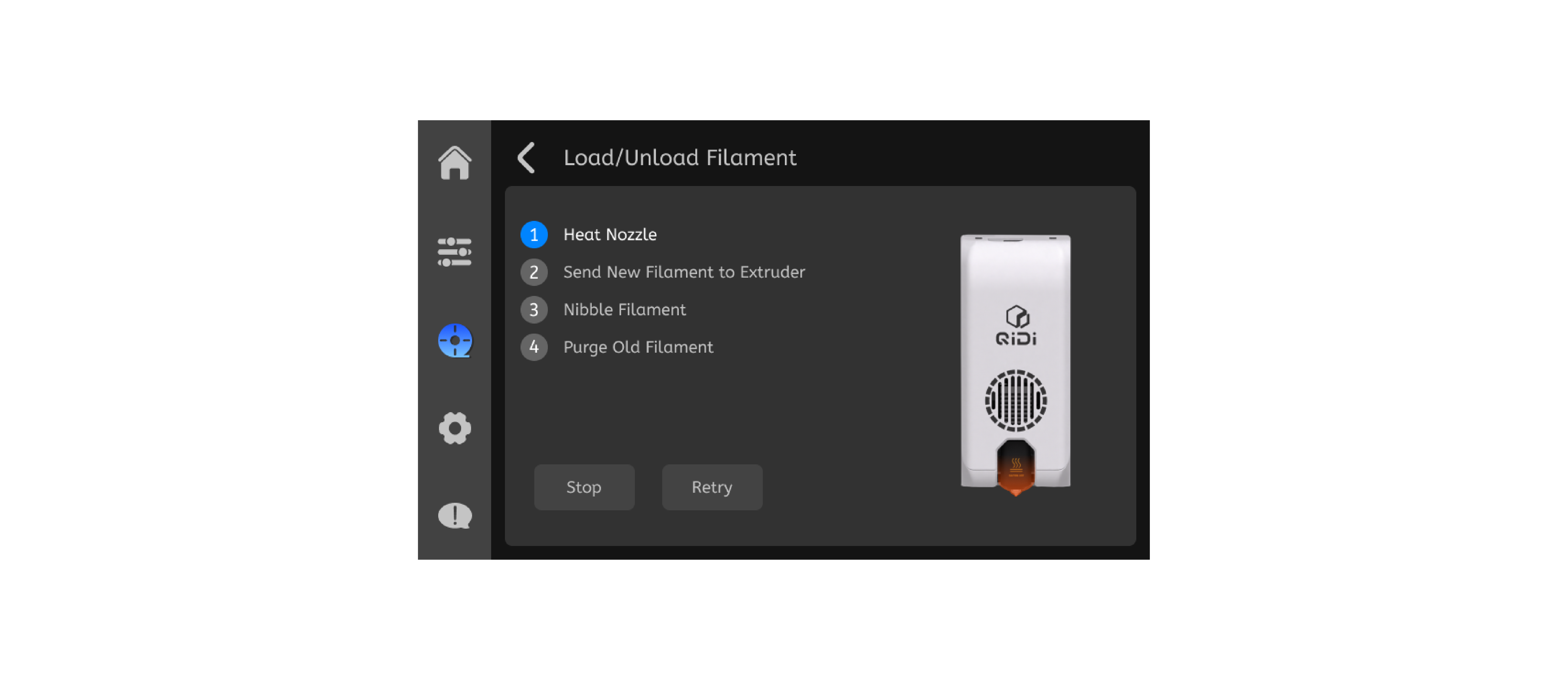
¶ Automatic feeding
-
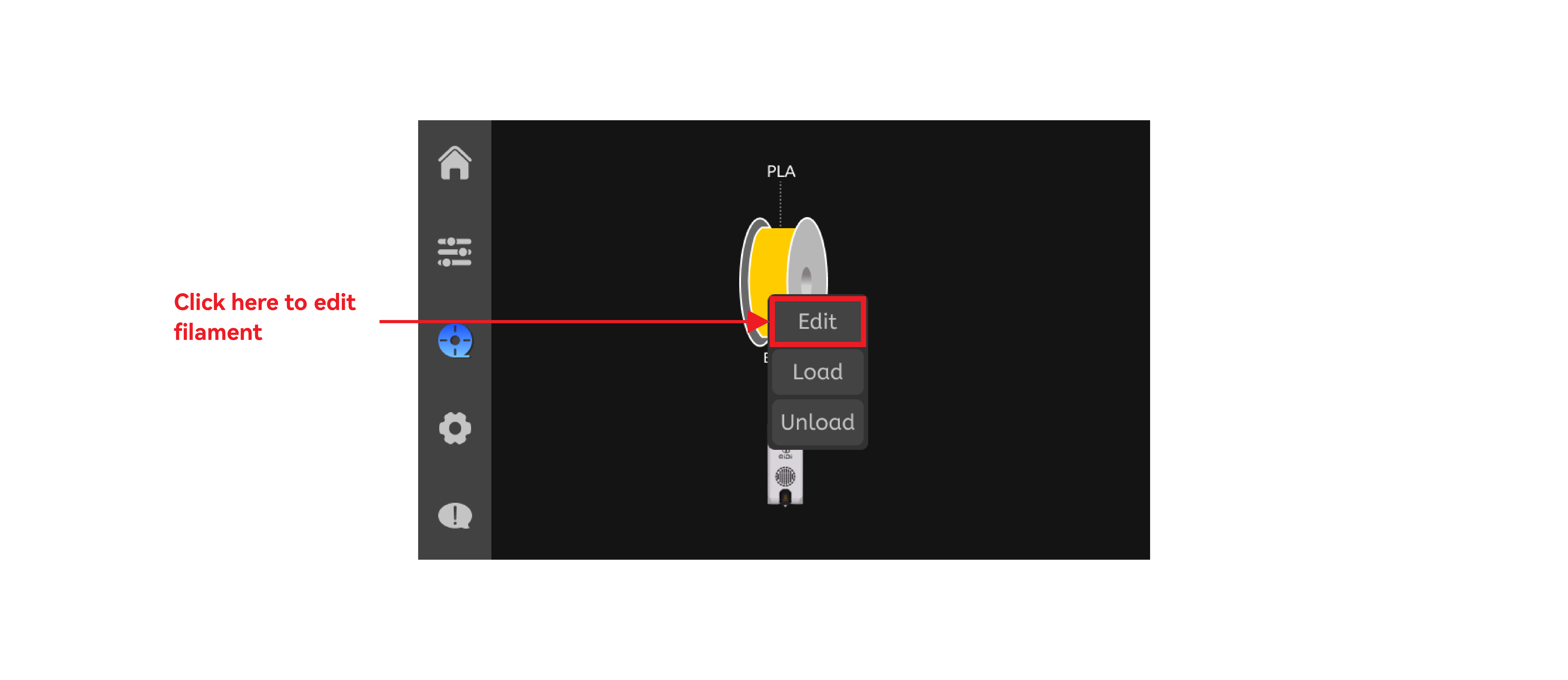
Editing Filament
-
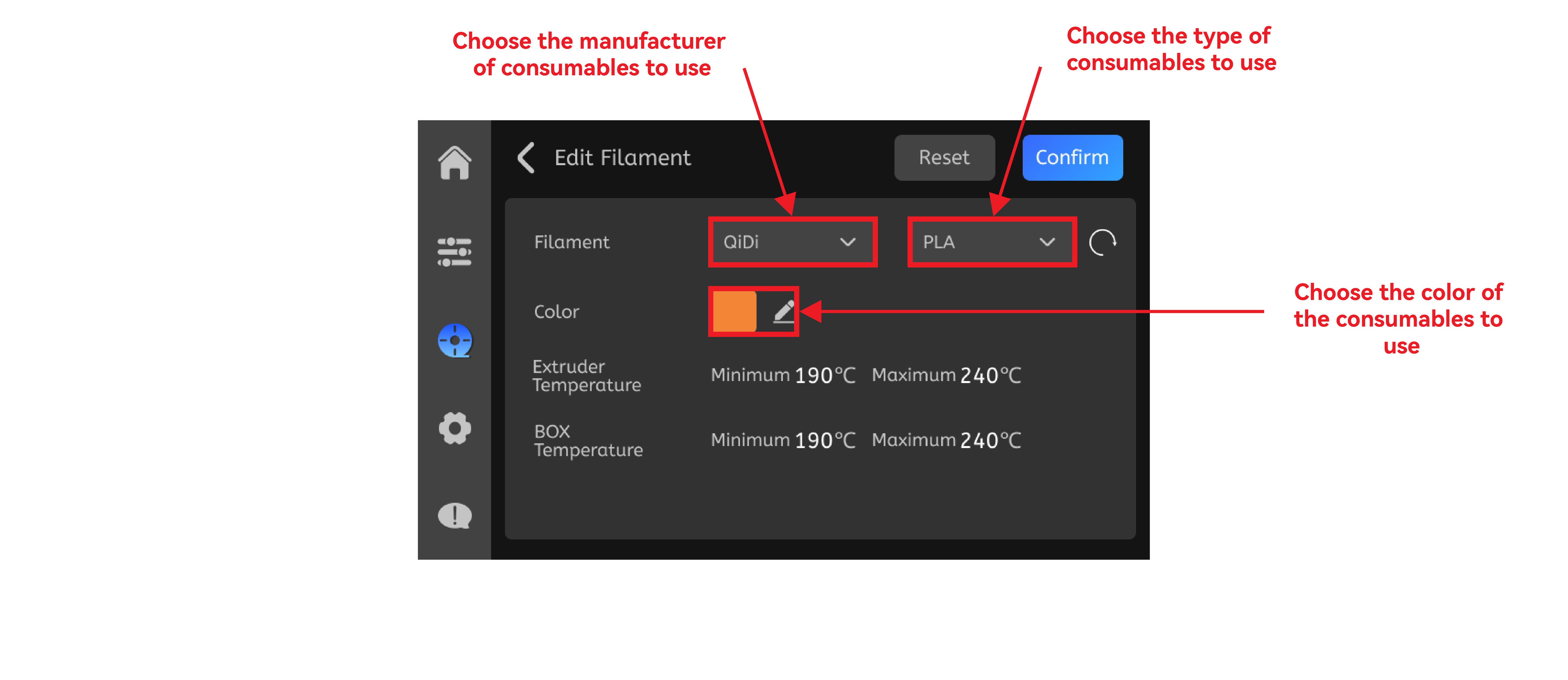
Select the Filament to load
-
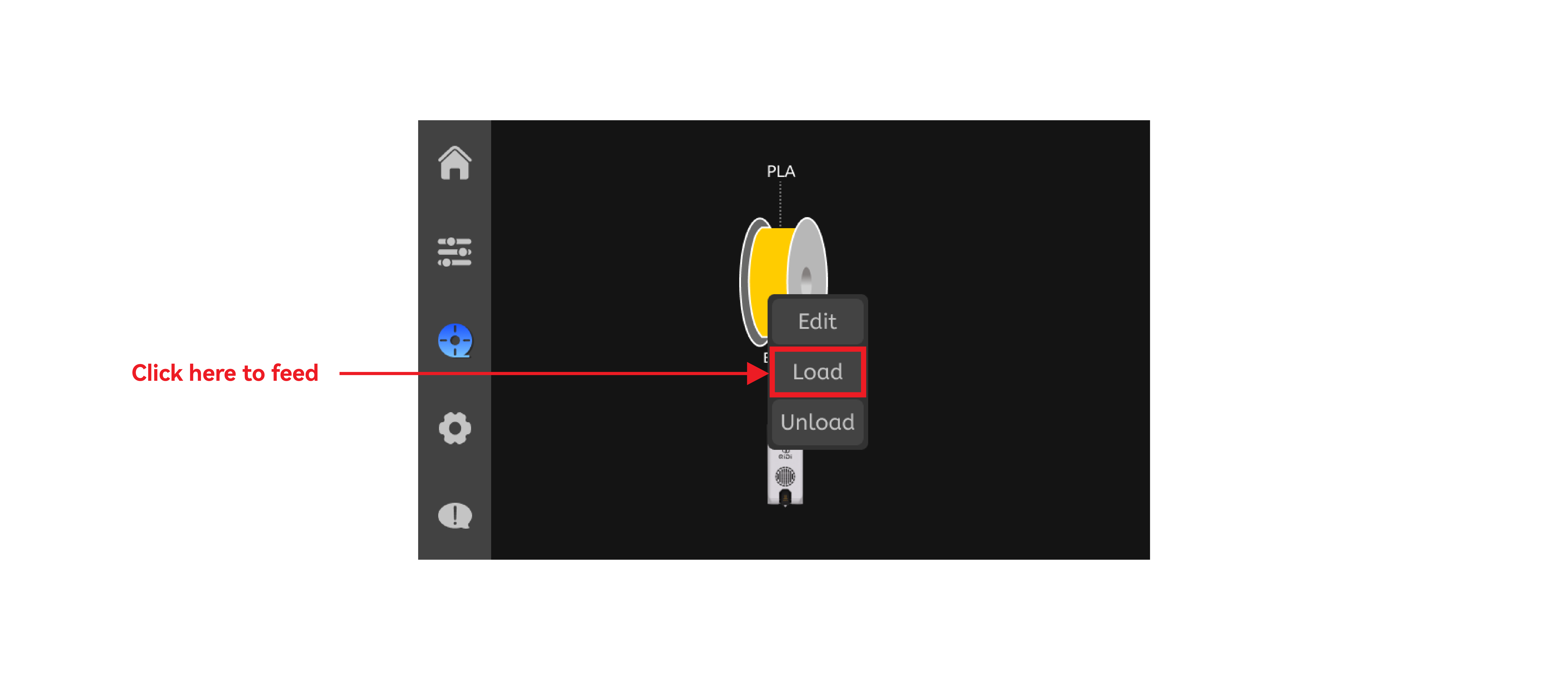
Load Filament
-
Start automatic feeding
¶ Manual feeding
-
Feed the filaments into the external feed port of the printer, ensuring that they enter the tool head and cannot be further advanced.
-
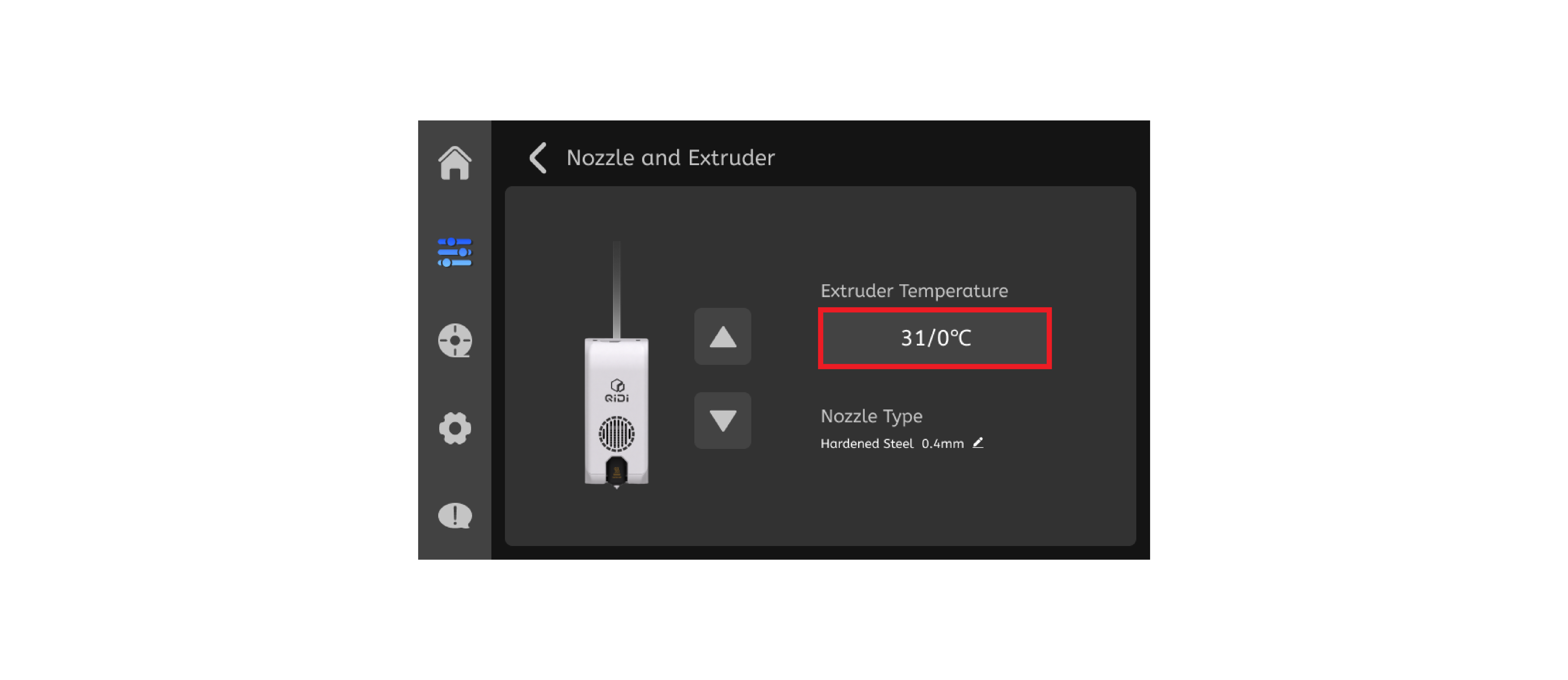
Click on the position in the image to adjust the nozzle temperature.
-
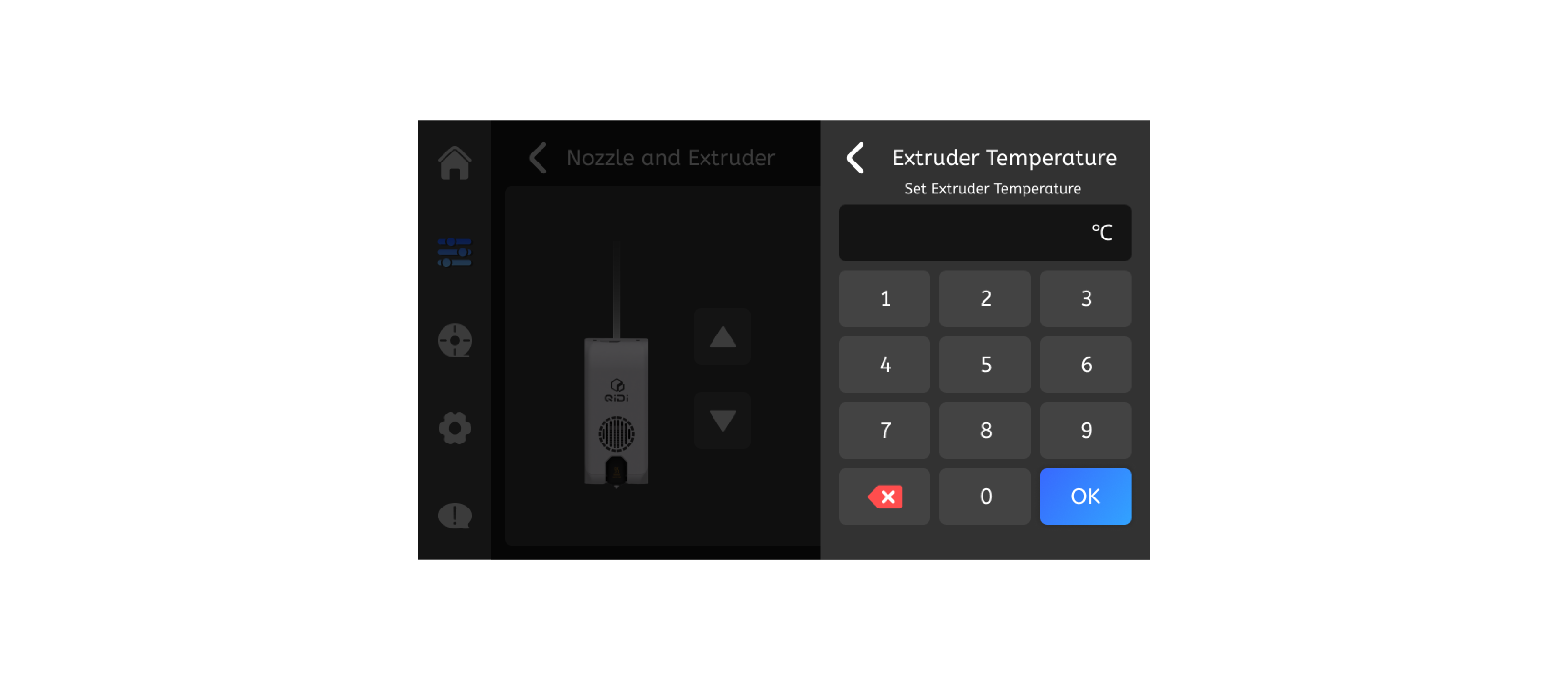
Set the printing temperature for filaments, using 220℃ as an example. Once the nozzle temperature reaches the set temperature, click the arrow on the right to extrude and observe the nozzle.
Set nozzle to filament print temp + 10°C when loading manually.
(Example: Print 200°C → Load at 210°C.) Lowers clog risk and ensures smooth feed.
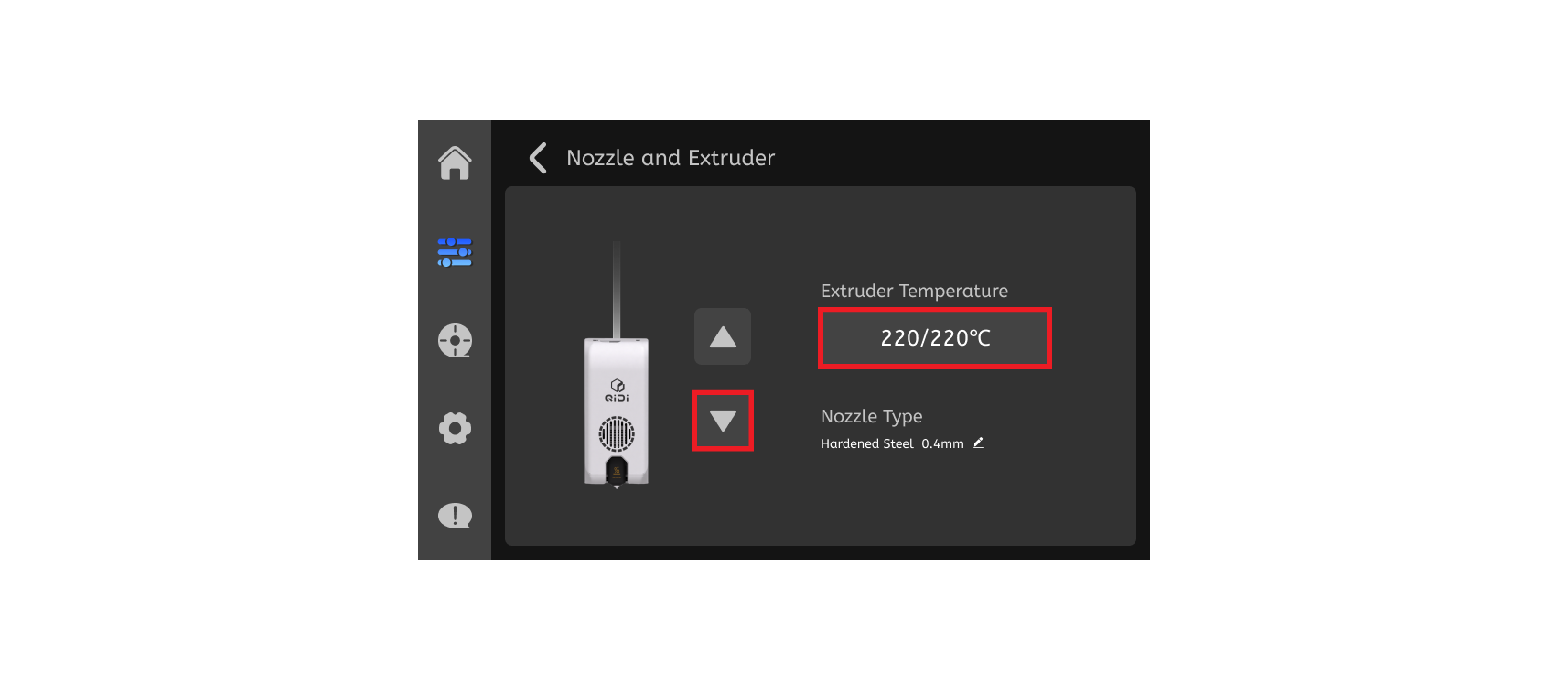
- When the nozzle extrudes the filament, it indicates that the loading is complete.
Switching from high-temp to low-temp filament: Use high-temp print temp + 10°C, then purge a large amount of new filament to fully flush out residues. Lower to new filament's normal temp afterward.