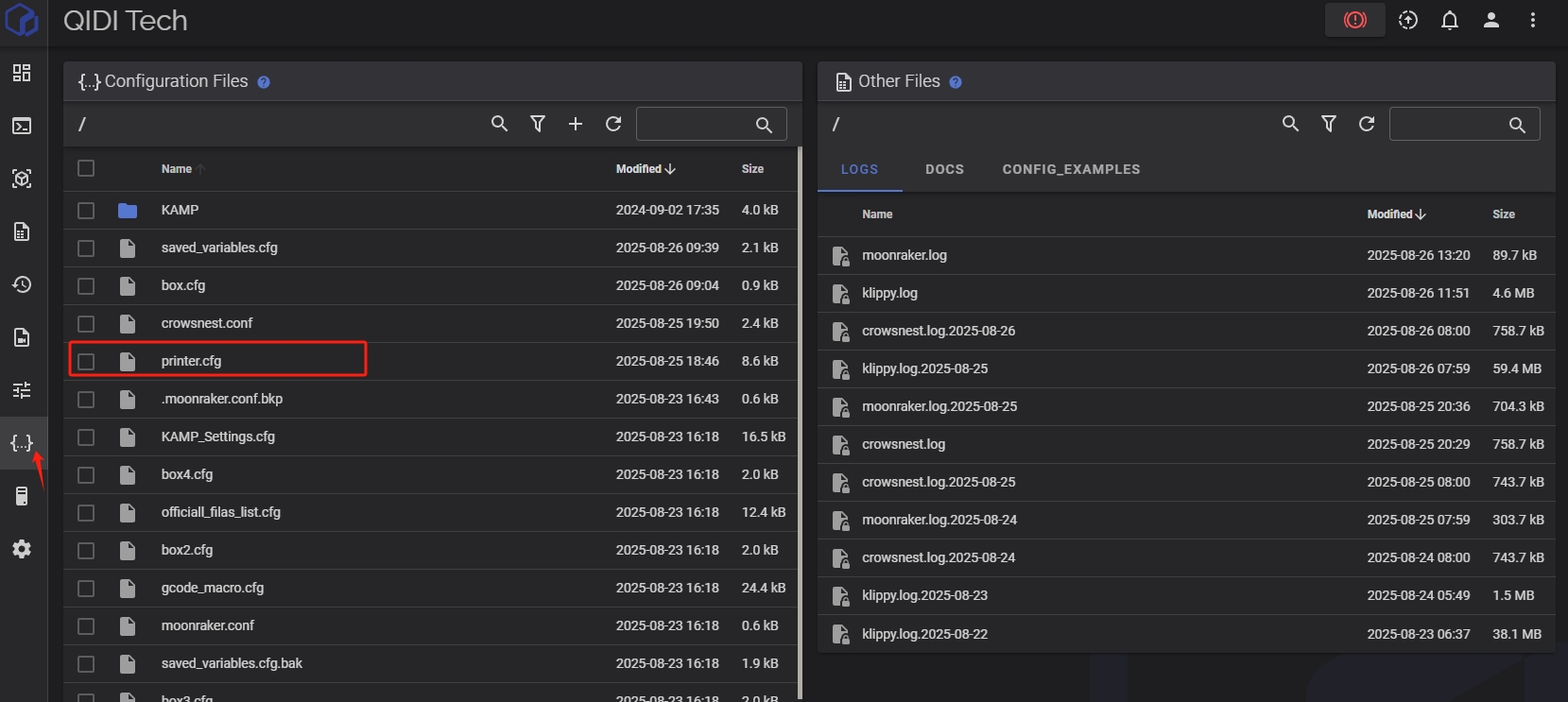
¶ How to Disable KAMP
Default KAMP setting: Enabled
¶ Why KAMP Is Enabled by Default
-
Higher compatibility
A full bed mesh works reliably for both small and large print jobs. -
Improved stability for large prints
For large models, a full bed mesh provides more consistent compensation than local adaptive probing.
¶ Minimum Bed Mesh Area Limitation
By default, the adaptive bed leveling system applies a minimum probing area to ensure reliable mesh generation.
This means that even if the printed model occupies a very small region of the build plate, the probing range will not shrink beyond a predefined safe boundary.
This behavior prevents issues such as:
- Insufficient probe points for mesh interpolation
- Reduced leveling accuracy in very small regions
- Potential instability in the generated bed mesh
¶ Removing the Minimum Range Limitation
If you want the probing area to adapt strictly to the model size and potentially achieve faster bed leveling, you can disable this restriction.
To do this:
Open the configuration file:
KAMP_Settings.cfg
Locate lines 75–78.
Comment out those lines (or keep them commented if already disabled).
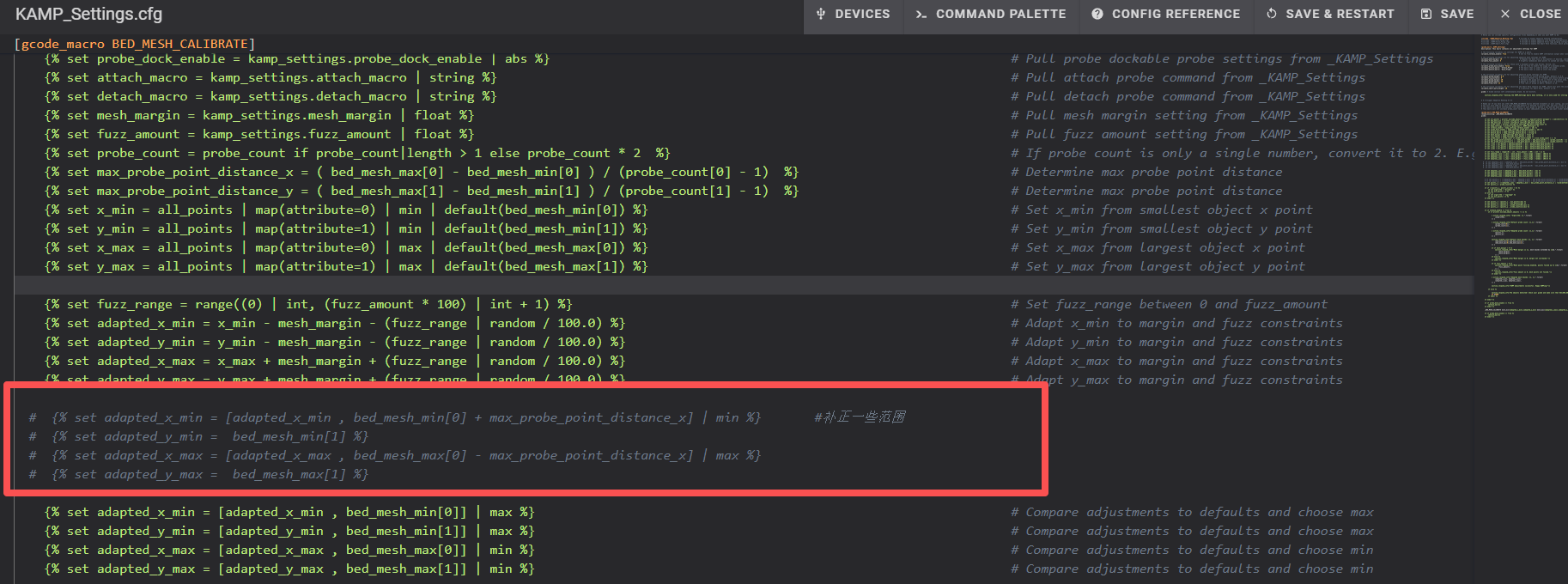
When these lines are disabled:
The probing area will shrink closer to the actual print area.
Bed leveling time can be reduced, especially for small prints.
⚠️ Note:
Removing this limitation may reduce the safety margin for mesh generation.
If the probing area becomes too small, it may result in fewer probe points and slightly less stable mesh interpolation.
¶ Disable KAMP (Advanced Users Only)
Note:
Adjust the parameters according to your print size and requirements.
- Open the
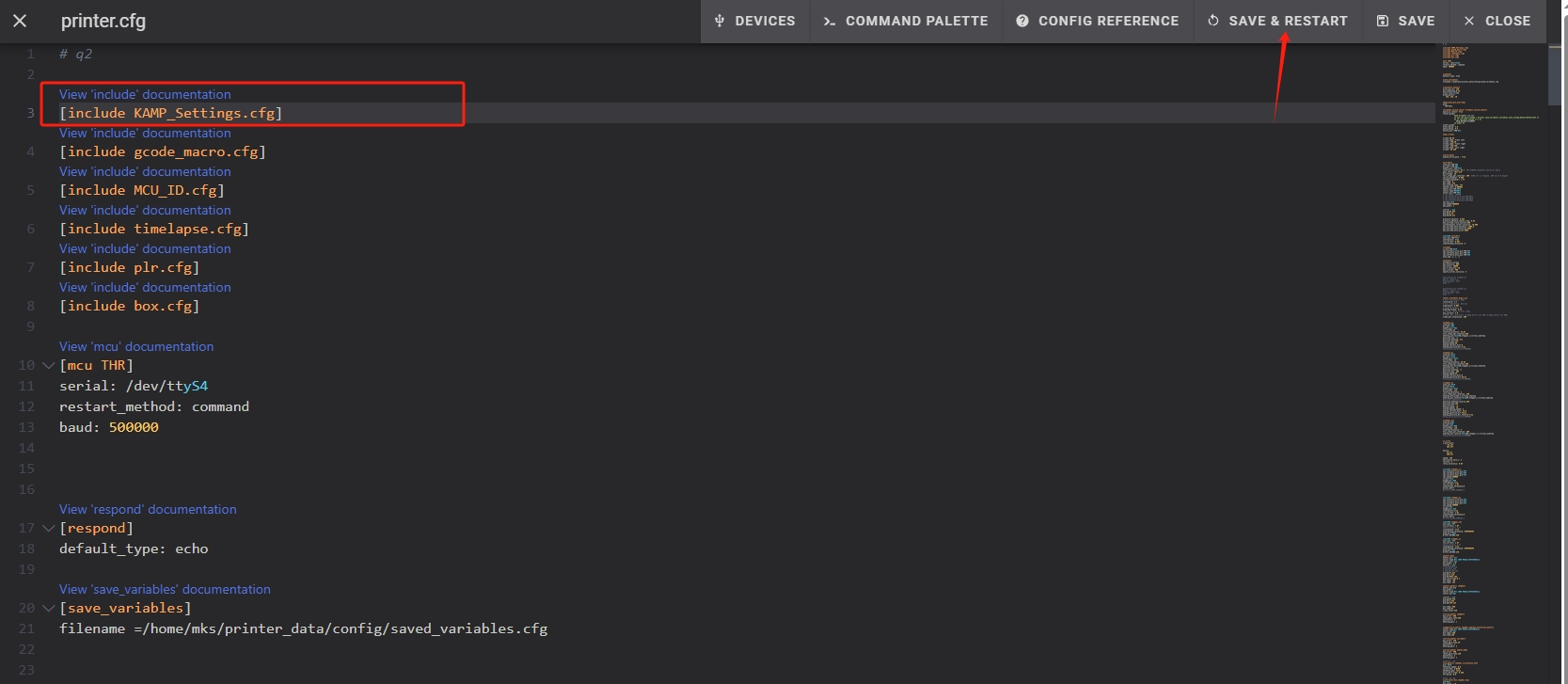
printer.cfgfile in the Fluidd interface. - Locate the KAMP configuration section.
- Add the comment symbol
#in front of the KAMP code. - Click SAVE & RESTART to apply the changes.