¶ How to Adjust the Leveling Range and Measurement Points
¶ Default Leveling Settings
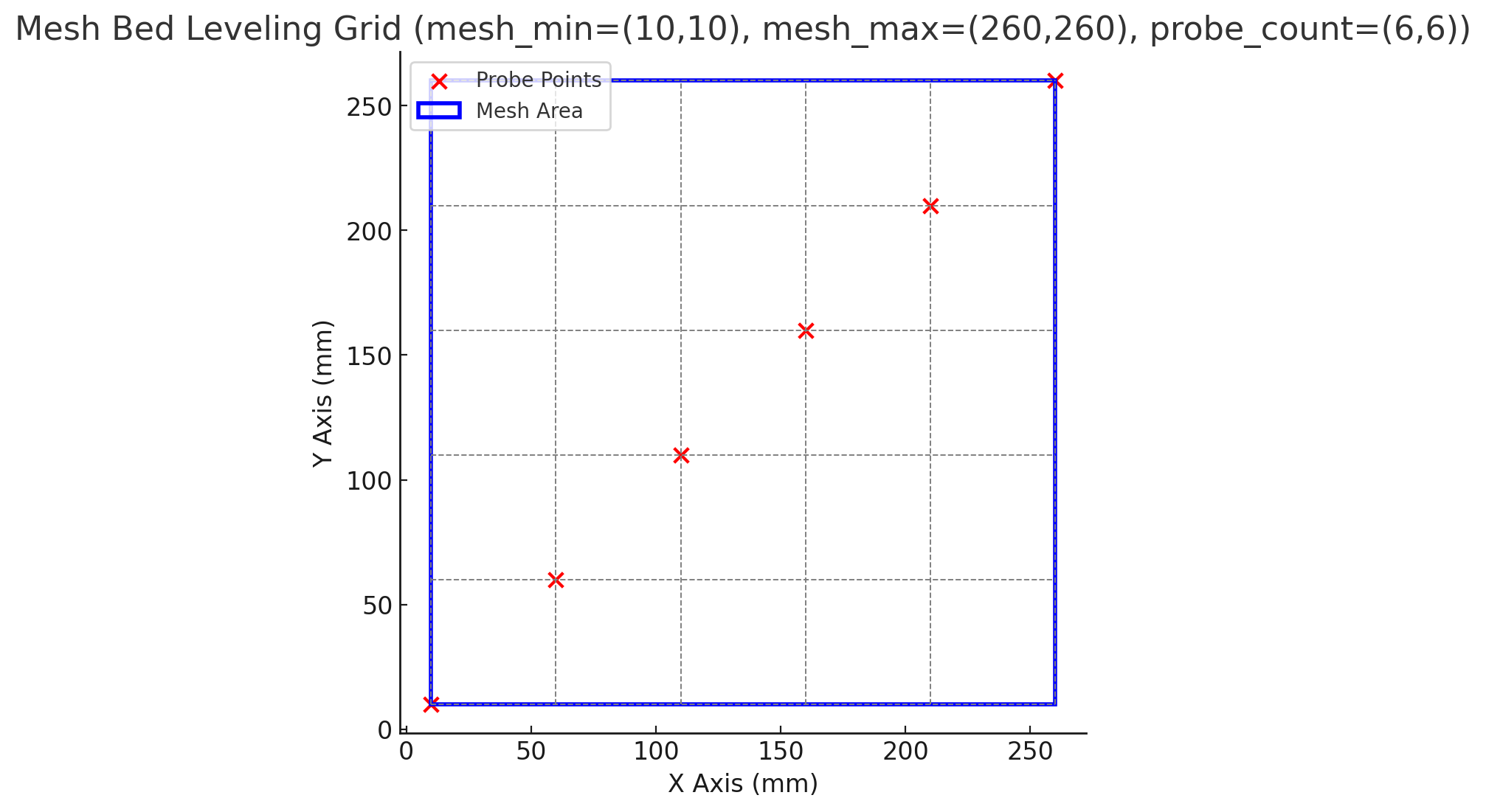
- The blue rectangle represents the measurement range
(mesh_min = (10, 10)tomesh_max = (260, 260)). - The red dots indicate the probe measurement points (a total of 6 × 6).
- The gray dashed lines show the probing path used to generate the mesh.
¶ Modify the Settings
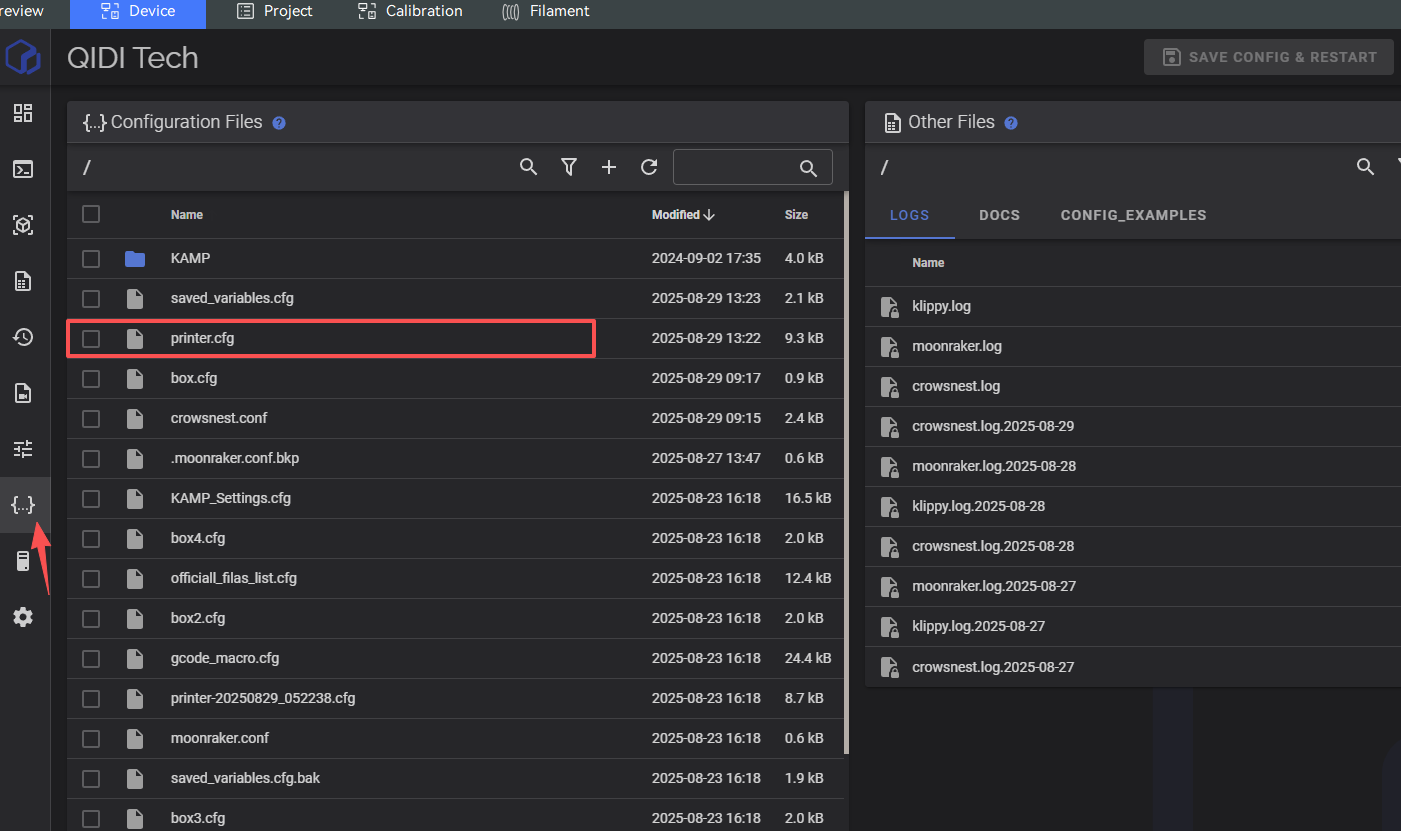
- Open the
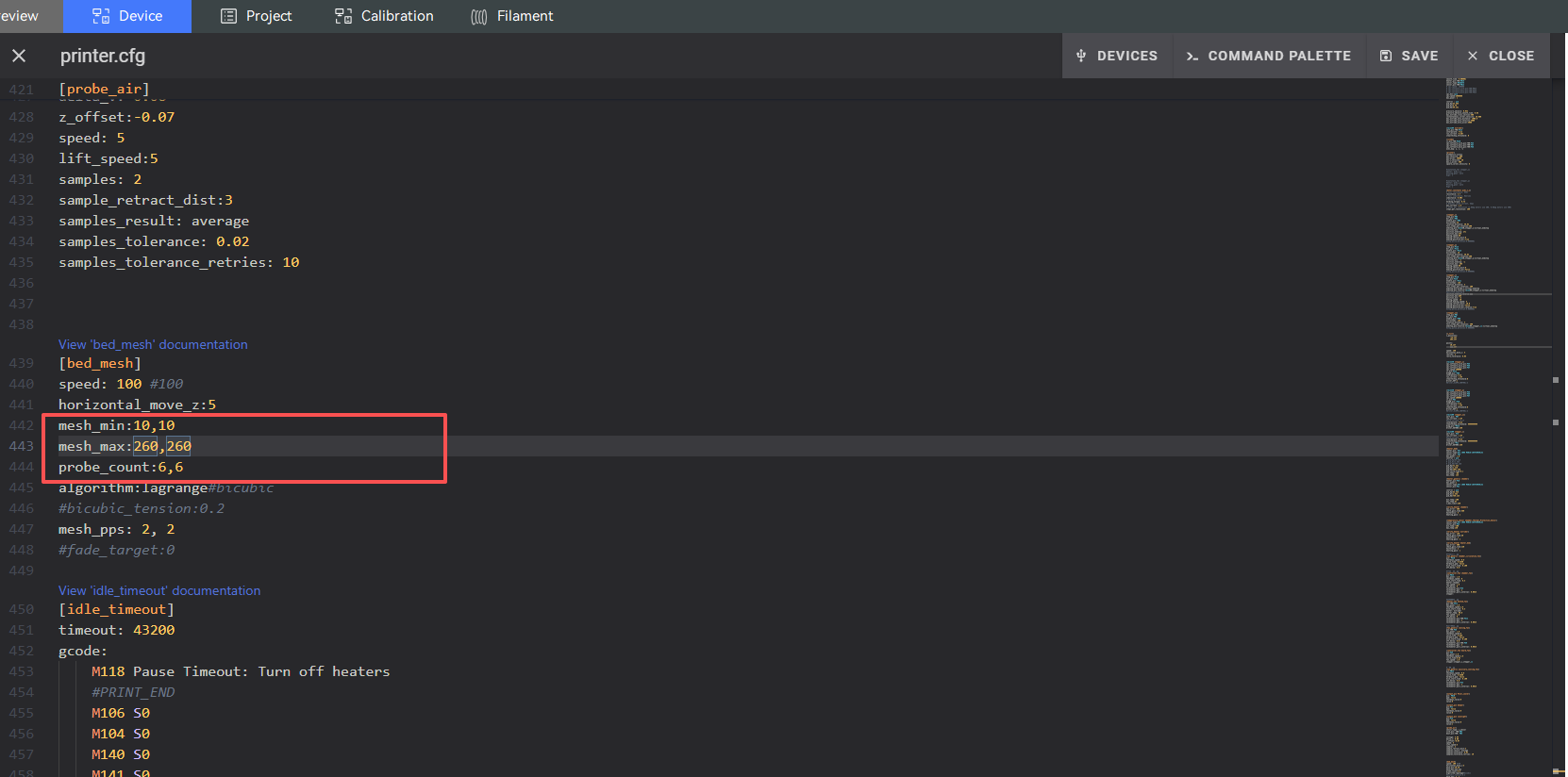
printer.cfgfile in the Fluidd interface. - Locate the
[bed_mesh]section. - Edit the Bed Mesh parameters as needed.
- Click Save & Restart for the changes to take effect.