¶ Using Klipper Macros to Control Printer LED Lights
¶ Overview
In Klipper firmware, you can control the printer’s LED light using the SET_PIN command.
This guide explains how to configure macro commands so the LED turns on automatically at the start of a print and off when the print finishes.
¶ Basic Commands
Turn LED Off
SET_PIN PIN=caselight VALUE=0
Turn LED On
SET_PIN PIN=caselight VALUE=1
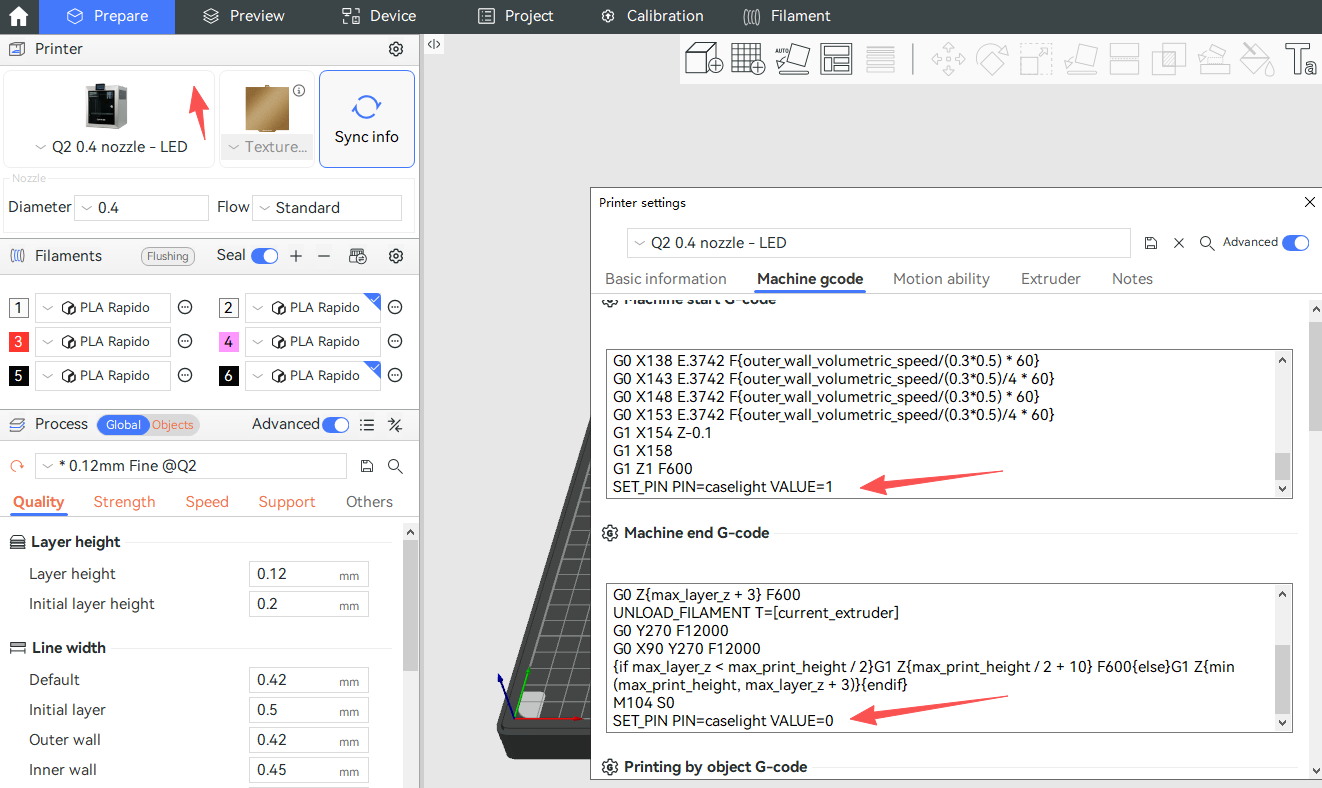
¶ Automating LED Control in Your Slicer
You can add these commands to your slicer’s printer profile to automate LED control:
- Add the LED On command to Start G-code
- Add the LED Off command to End G-code