¶ Description
When performing the operation of feeding external plug-in consumables, the printer will extrude a small amount of consumables after successfully detecting their entry into the extruder, to determine whether the feeding is successful.
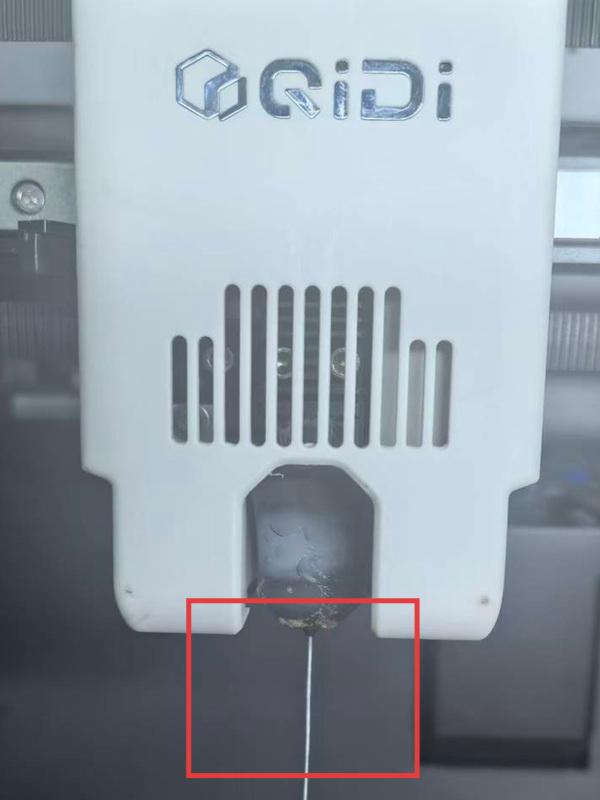
Please observe the nozzle. If the filament has been extruded, click "Continue"; if not, gently push the filament forward and click "Retry". If the extrusion fails, please refer to the solution.
¶ Solution
¶ Filaments do not match
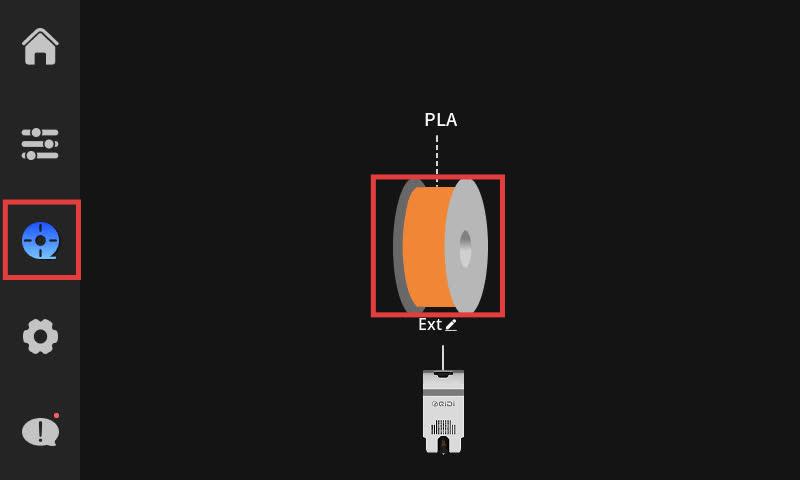
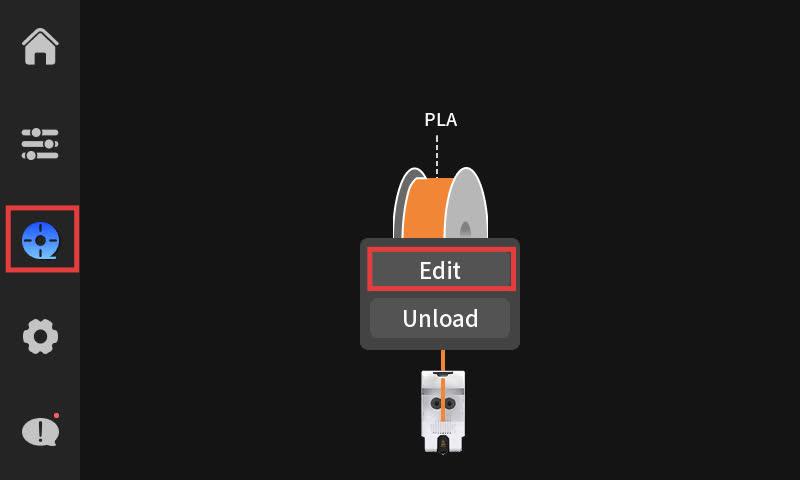
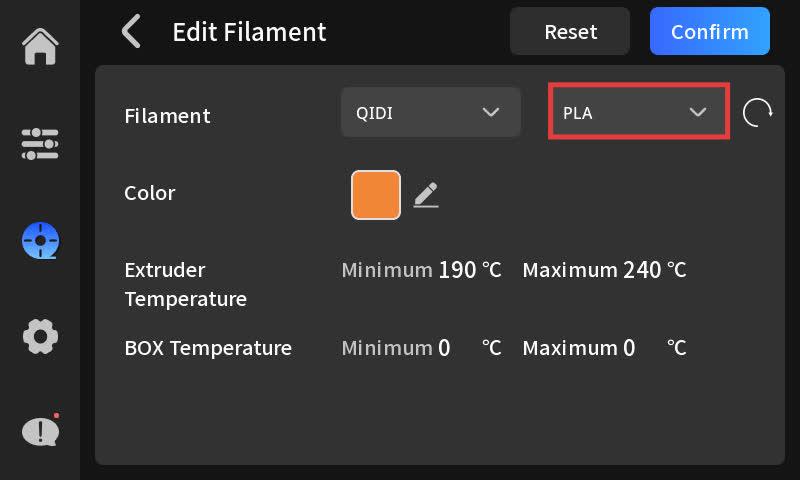
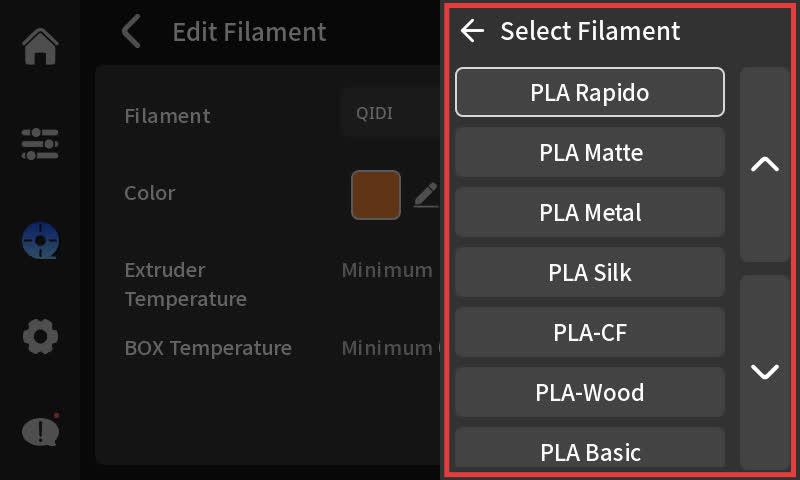
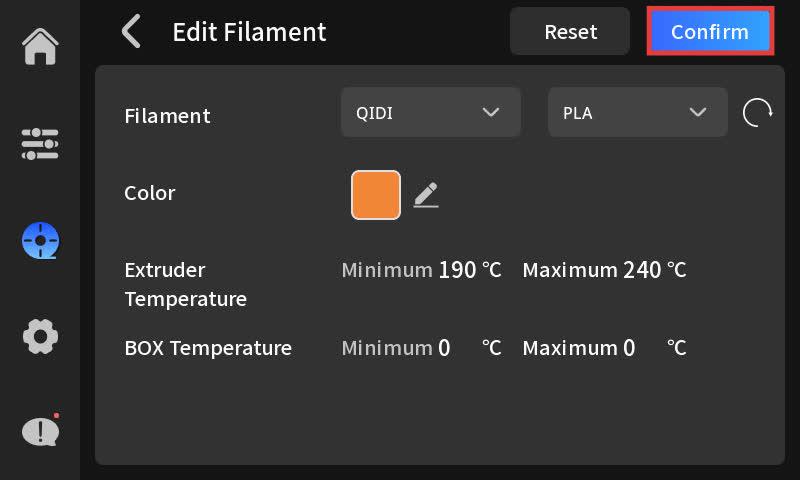
When performing the feeding operation, please select the correct consumables. Different consumables have different temperatures. If the temperature does not match the actual consumable temperature, extrusion difficulties may occur. Follow the steps below to select the matching consumable from the consumable list.
¶ Filament clog
If the above methods fail to resolve the issue, please contact our after-sales customer service.