¶ Box Auto Refilling
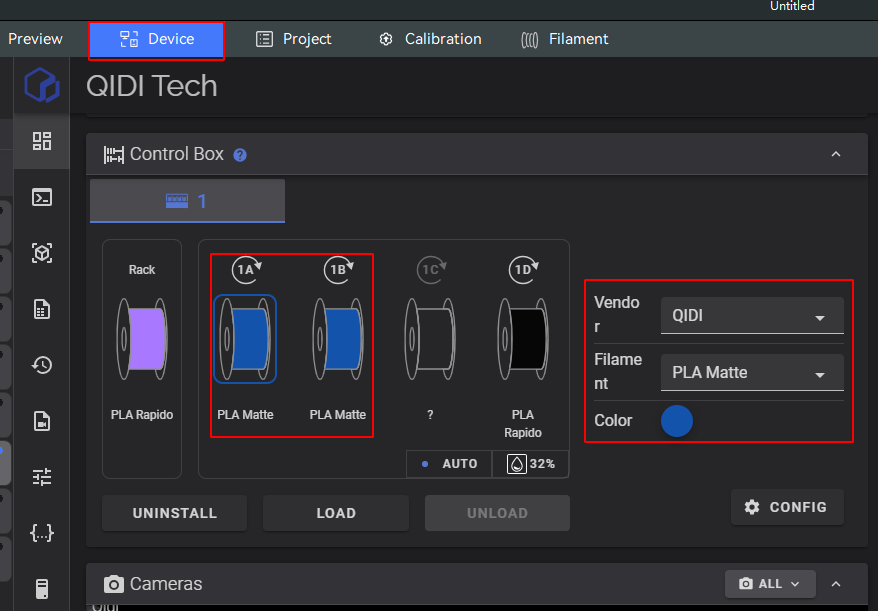
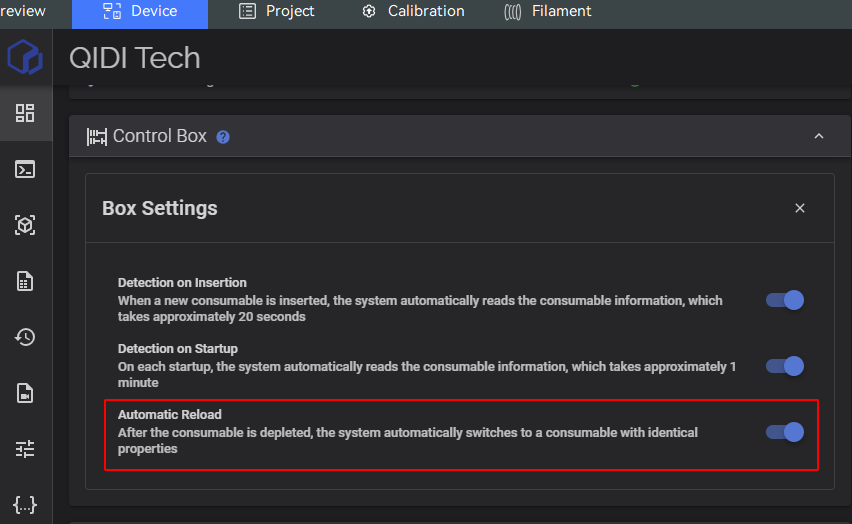
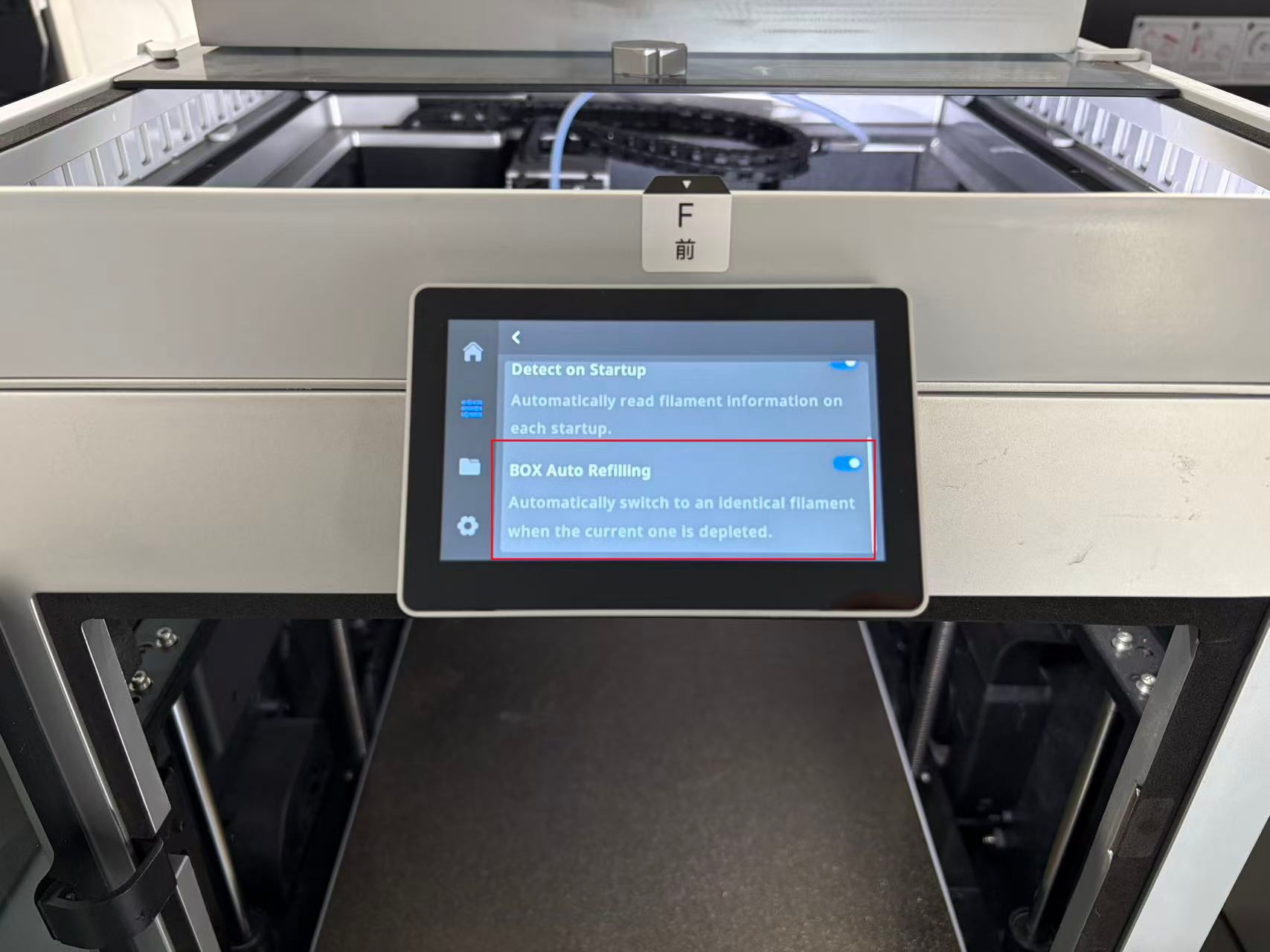
The QIDI Box supports auto-refilling.When the current filament runs out, the Box will automatically switch to another spool with identical properties .To enable this feature please follow the settings below.
1.Ensure the box auto refilling feature is enabled.
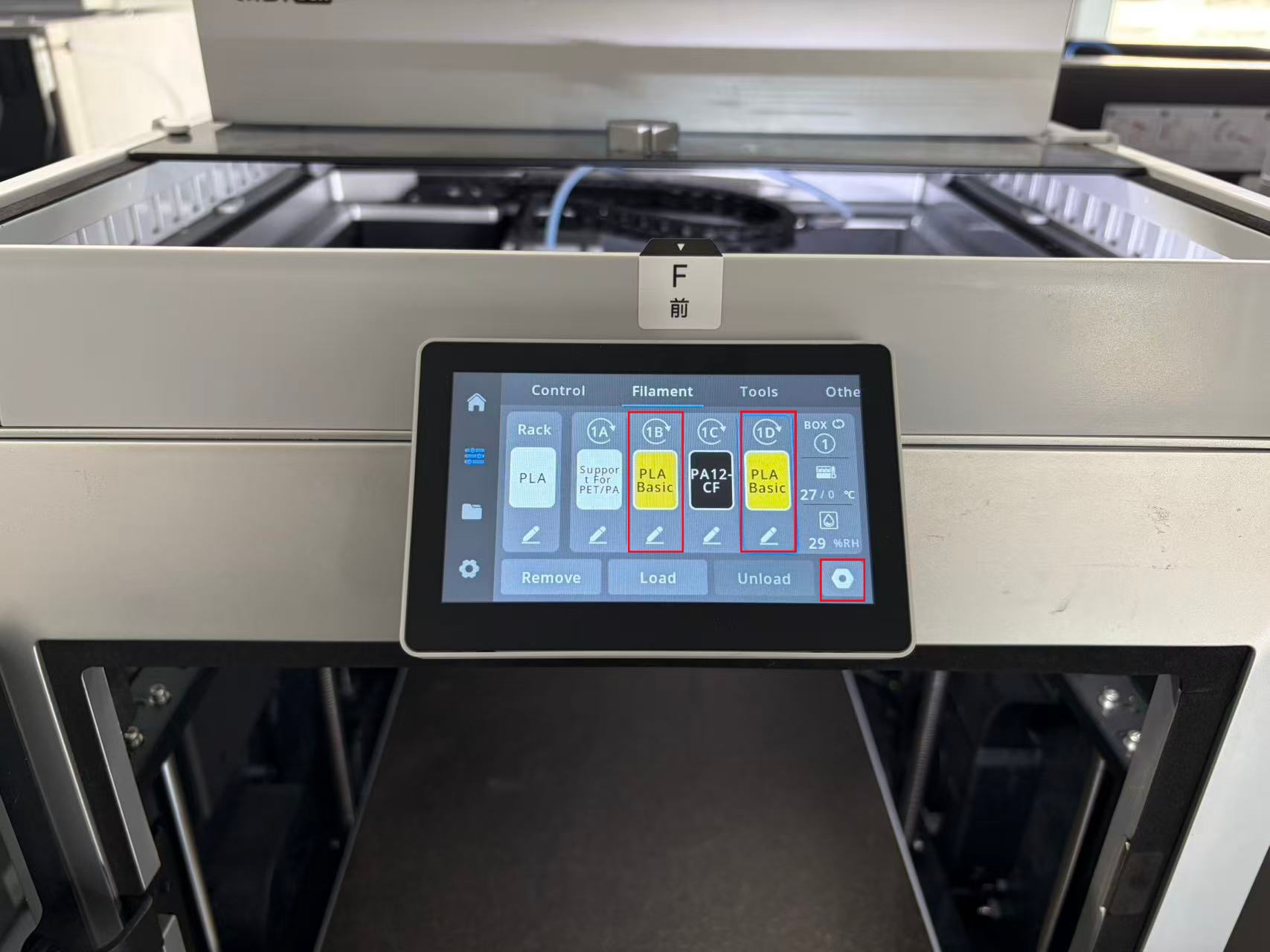
2.Set two or more types of filament to have exactly the same properties.Filament properties include:brand, type, color, and nozzle temperature.
To maintain print quality,it is recommended to replace filament with an identical type from the same brand.
2.You can also set filament properties on the device page in QIDI Studio