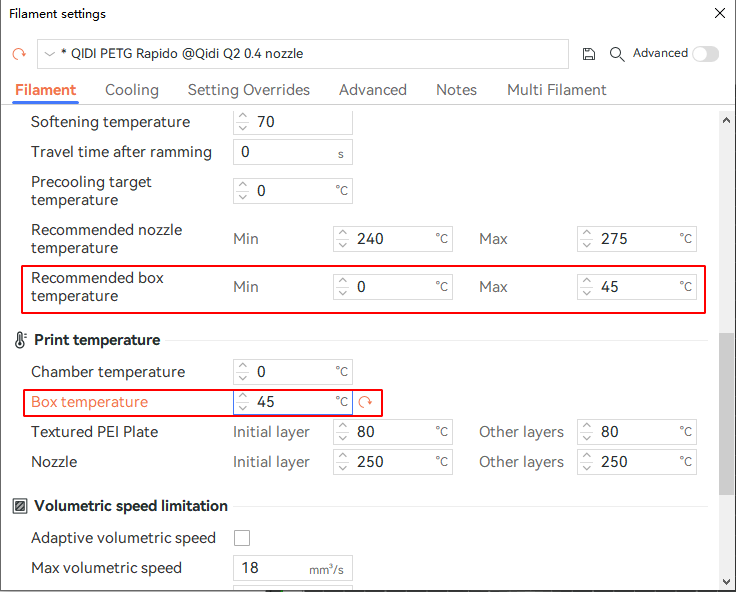
¶ Drying while printing
You may achieve this function in two ways:
1.Enter filament page on the machine screen.Click the temperature control button on the right side.Set the drying temperature.
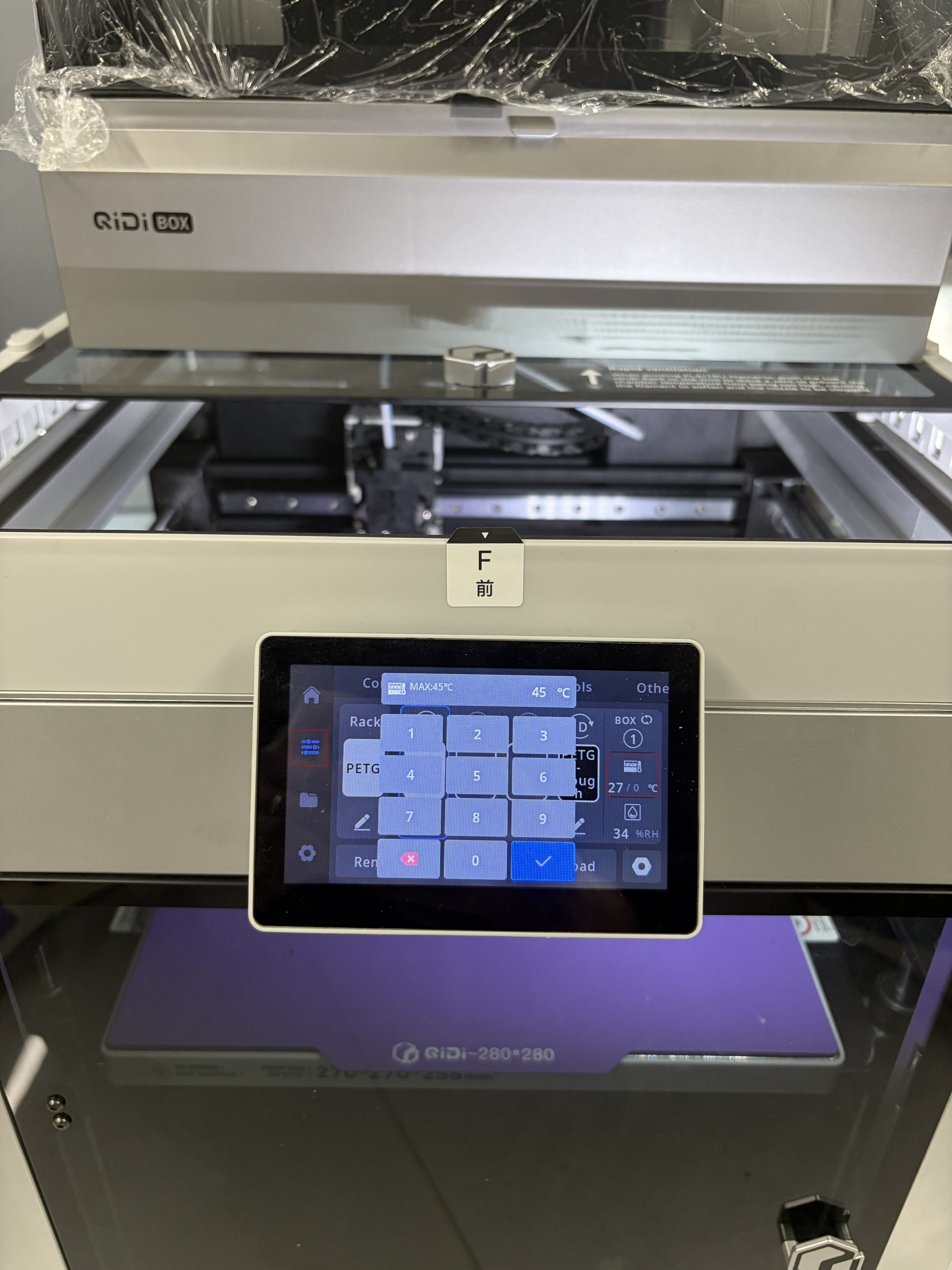
Please be aware when the drying temperature is out of recommended range.Softened filament may be causing a clog in the box.
Please confirm the recommended drying range of the filament,before starting drying while printing
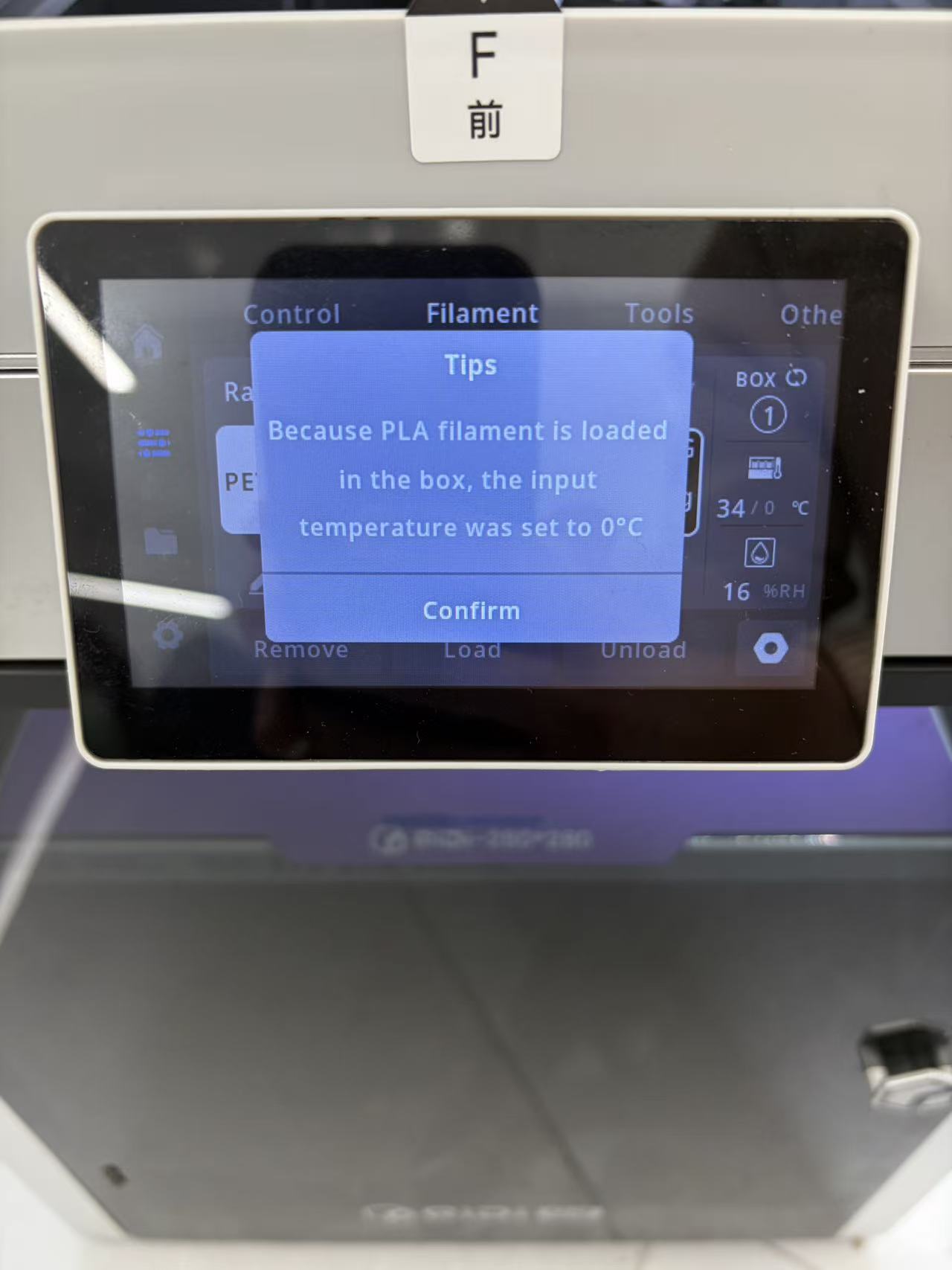
When box recognized PLA filament was placed.You can't use this function.
2.You can set box drying temperature in QIDI Studio.
First synchronize the filament information in the box.
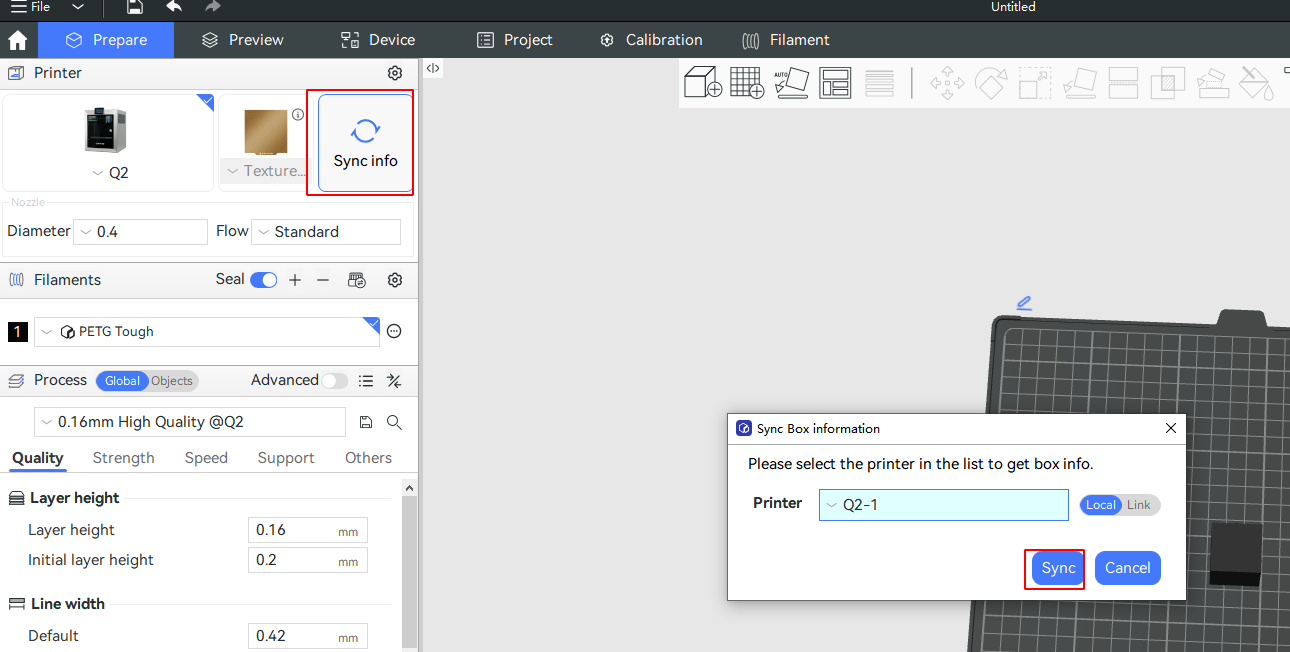
After the synchronization is complete, please click 'Edit Filament Properties' in the filaments menu.
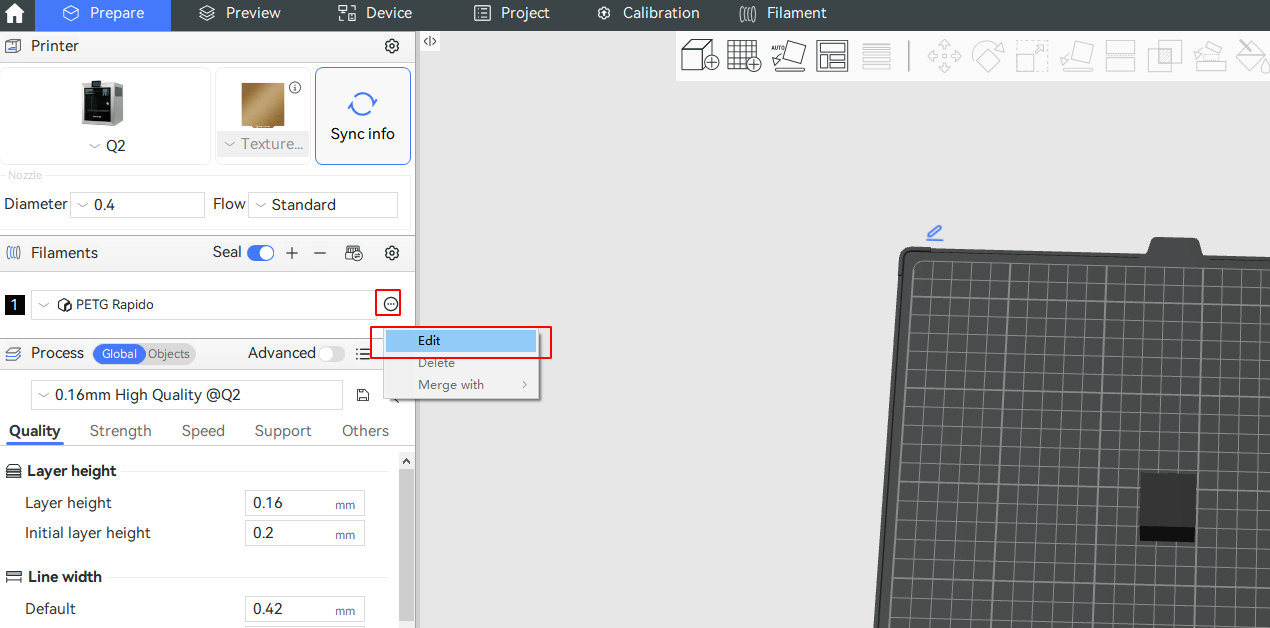
Based on the filament type, we have preset the maximum drying temperature on the filament page. Do not set the temperature higher than this maximum.
After the temperature is set, you can now slice the model and send it to print.The box will automatically start the drying process.