¶ How to Print with External Filament When the QIDI BOX is Connected
When your QIDI printer is connected to a QIDI BOX but you want to print using external filament manually, please follow the steps below carefully.
¶ Step1: Load Filament Manually
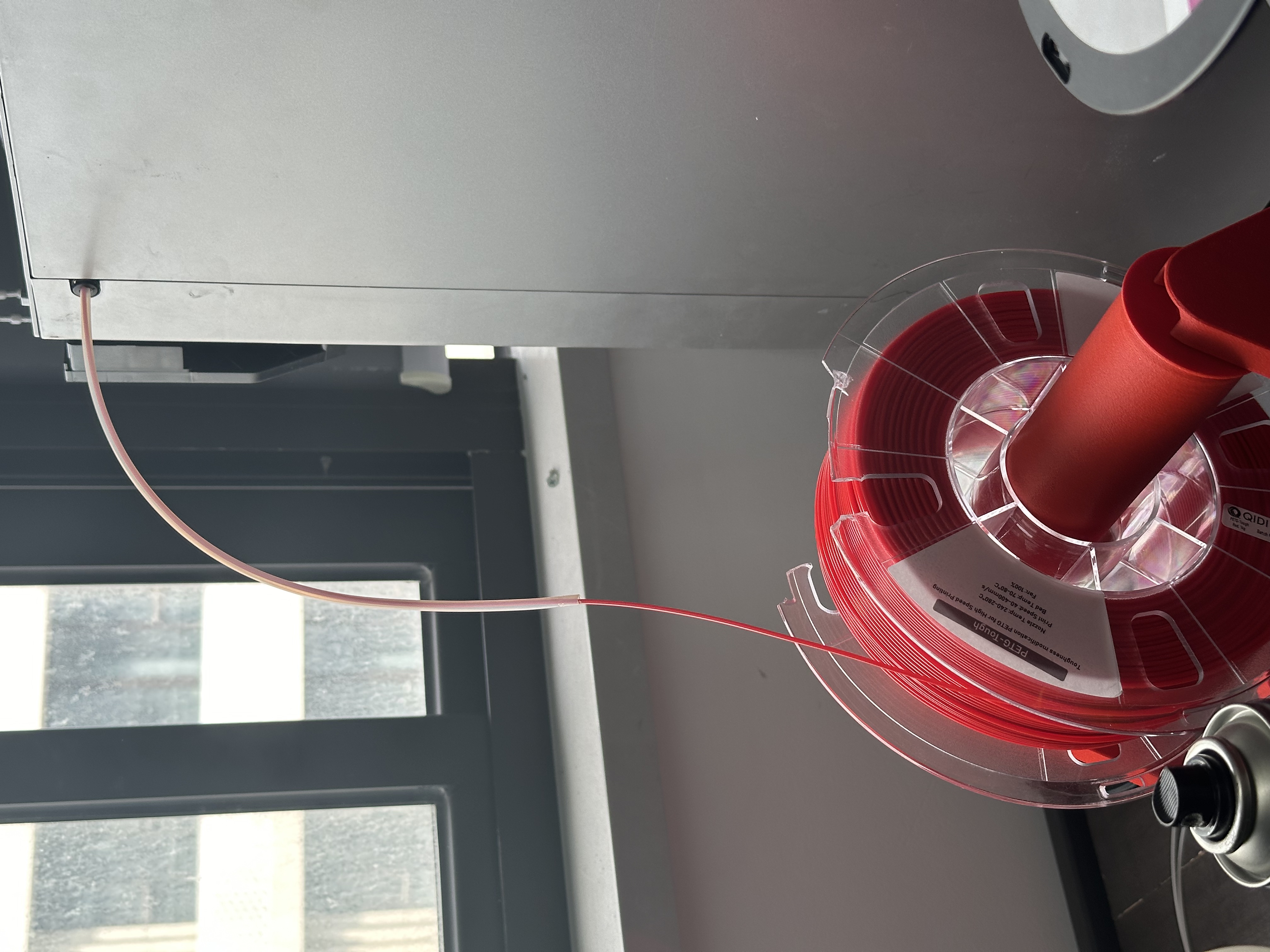
Disconnect the PTFE tube between the QIDI BOX HUB and the printer’s filament inlet.
Take your external filament spool and manually load the filament directly into the printer’s extruder until it reaches the nozzle.
Make sure the filament can be smoothly extruded by performing a quick extrusion test from the printer’s screen.
 or
or 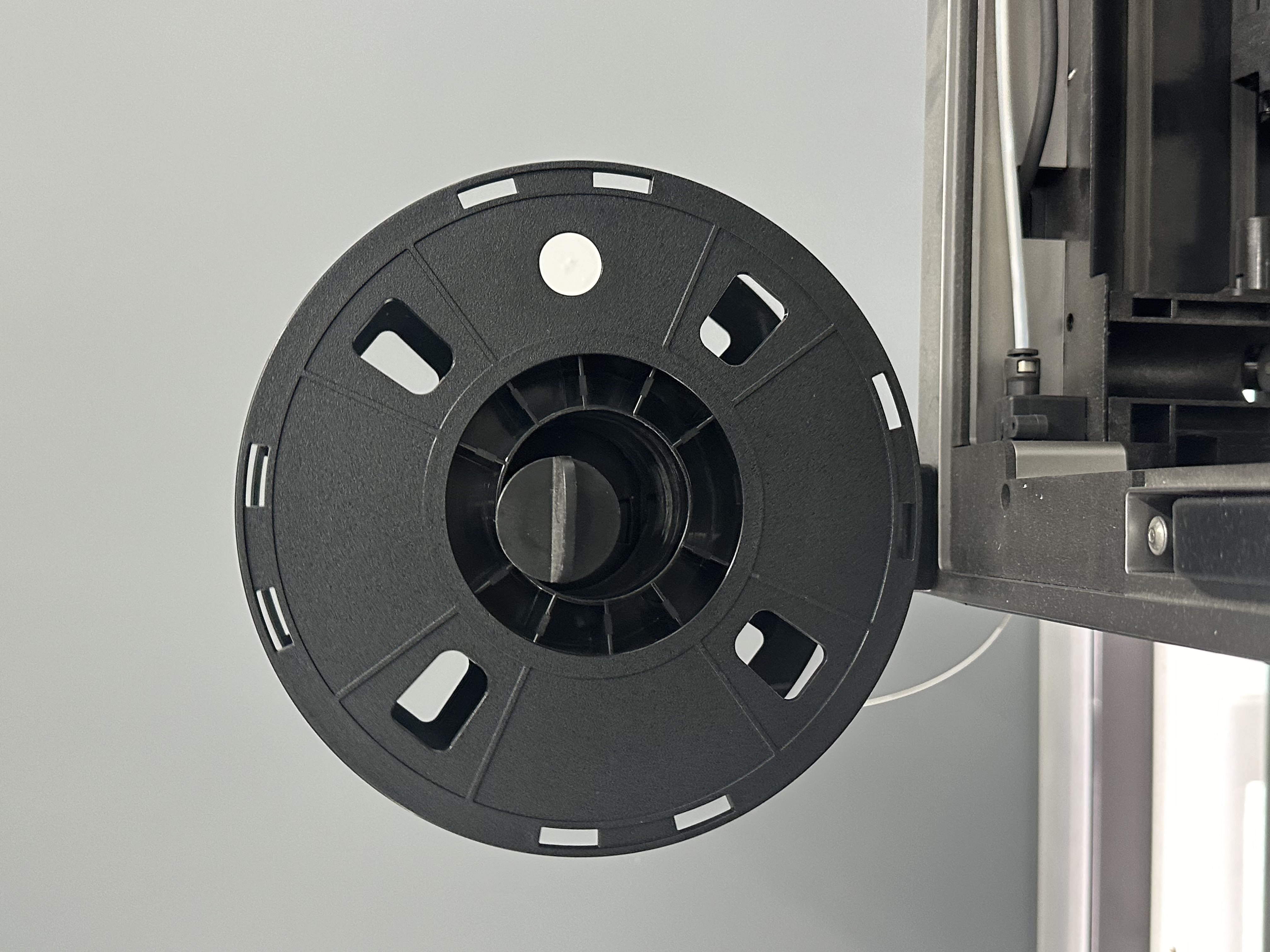
¶ Step2: Disable QIDI BOX Before Printing
You need to disable QIDI BOX to let the printer use the manually loaded filament.
¶ Method 1
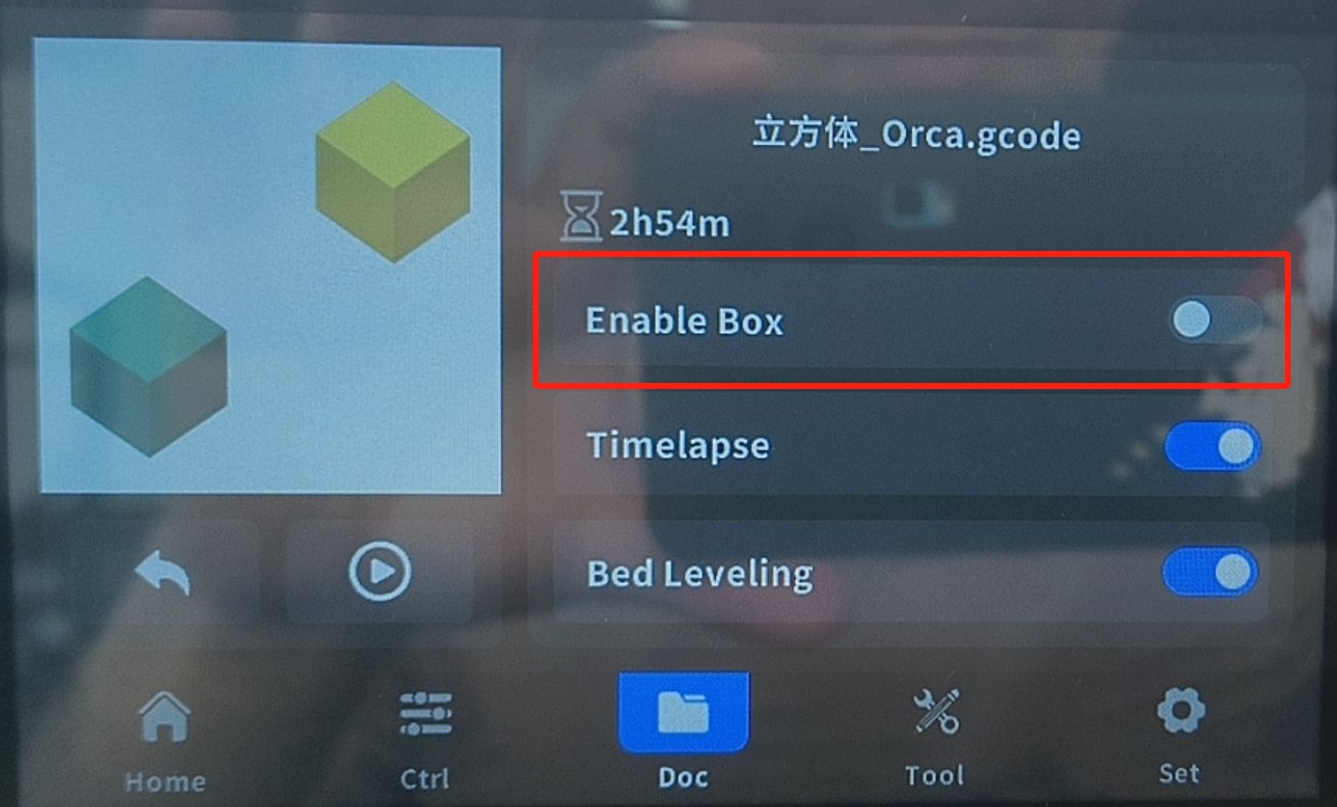
On the printer screen:
Select your print file.
Check the option “Do not enable QIDI BOX” (or “Disable QIDI BOX”).
Refer to the screen example below for guidance.
¶ Method 2
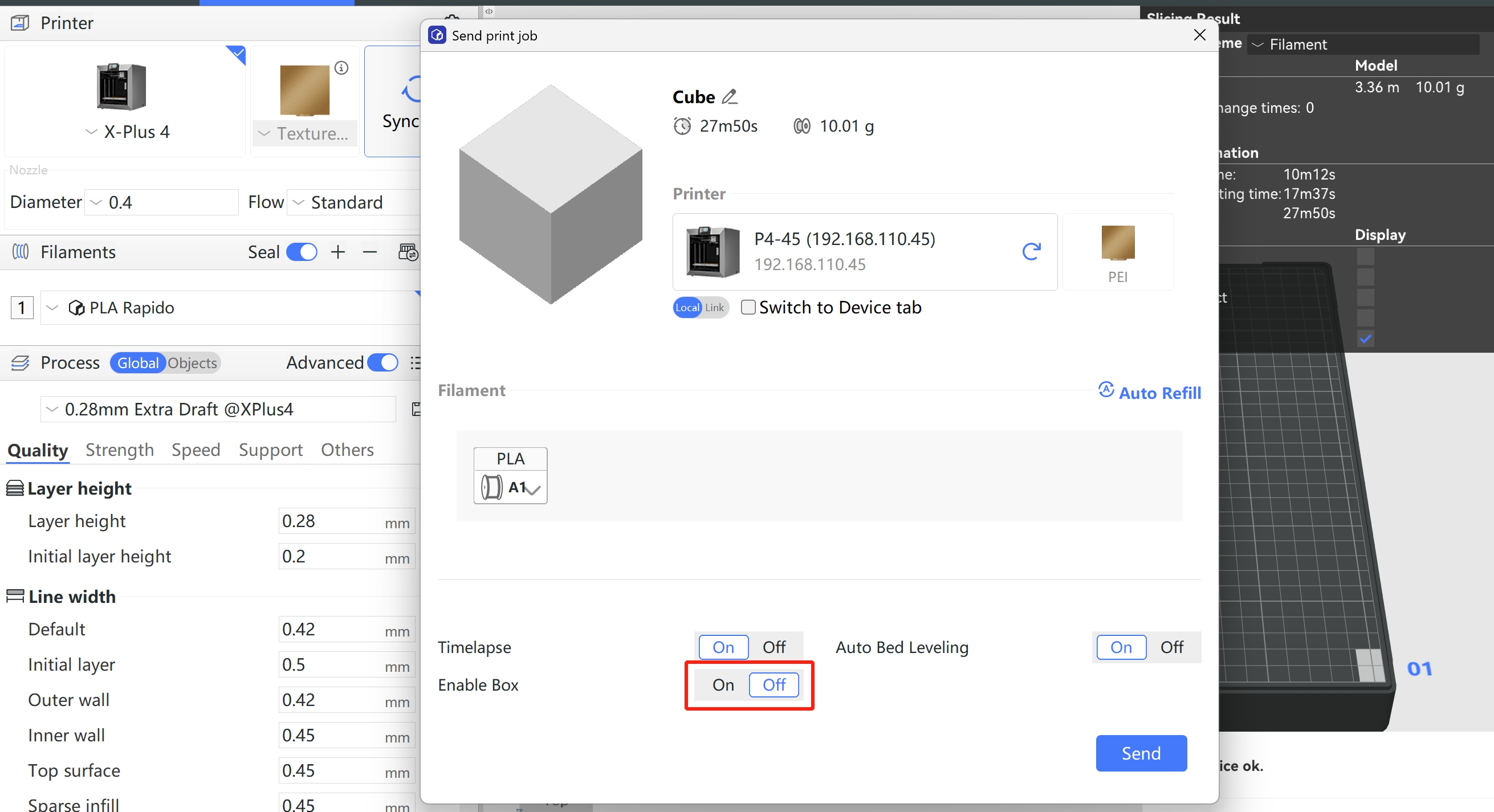
In QIDI Studio:
When slicing or sending the file, make sure QIDI BOX is disabled in the printing options. The function option will be activated only after synchronizing BOX.
This ensures the printer will use the manually loaded external filament instead of communicating with the BOX.
If using Orca Slicer:
Send the print file to the printer as usual.
Then, start the print manually from the printer’s touchscreen, and disable QIDI BOX before starting.