¶ Phenomenon
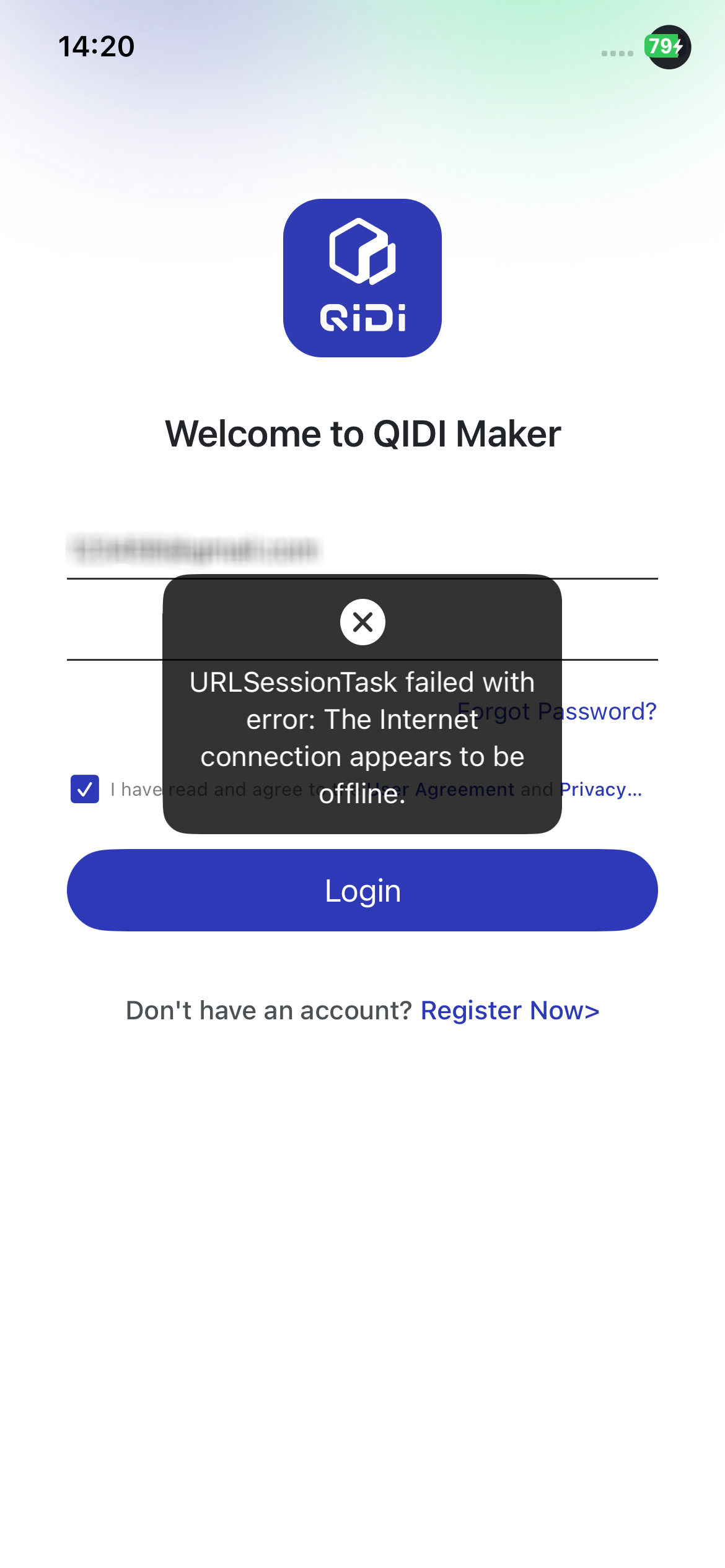
¶ Cause
1.There is an issue with the QIDI cloud service.
2.There might be a problem with the mobile network or incorrect network permission settings in the app.
3.There are some legacy issues in the iOS system that may cause some apps to be unable to connect to the network after updating.
¶ Solution
¶ Check the status of the QIDI system
If there are issues with the QIDI cloud service, both QIDI Maker and QIDI Studio may encounter difficulties connecting to the server.
¶ Check the network settings on your phone and QIDI Maker
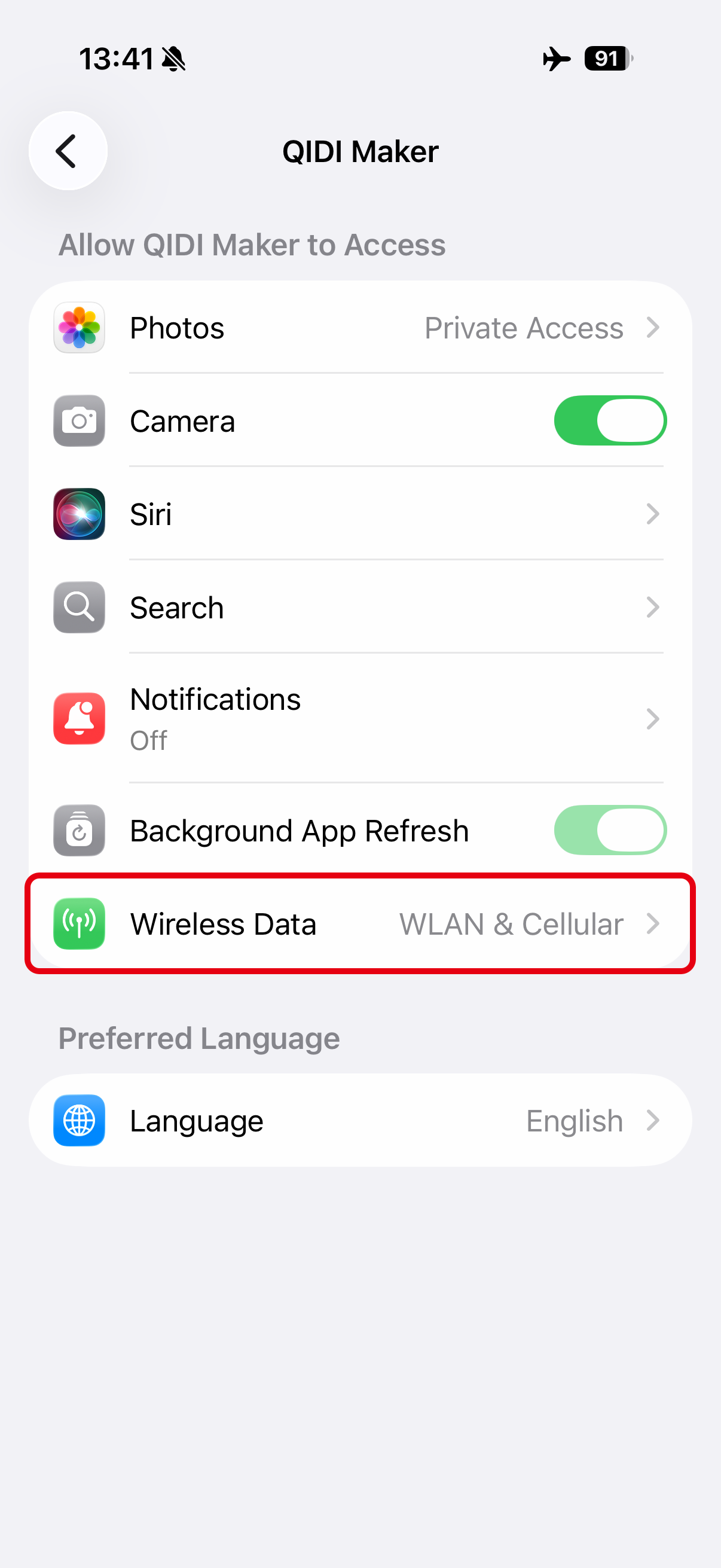
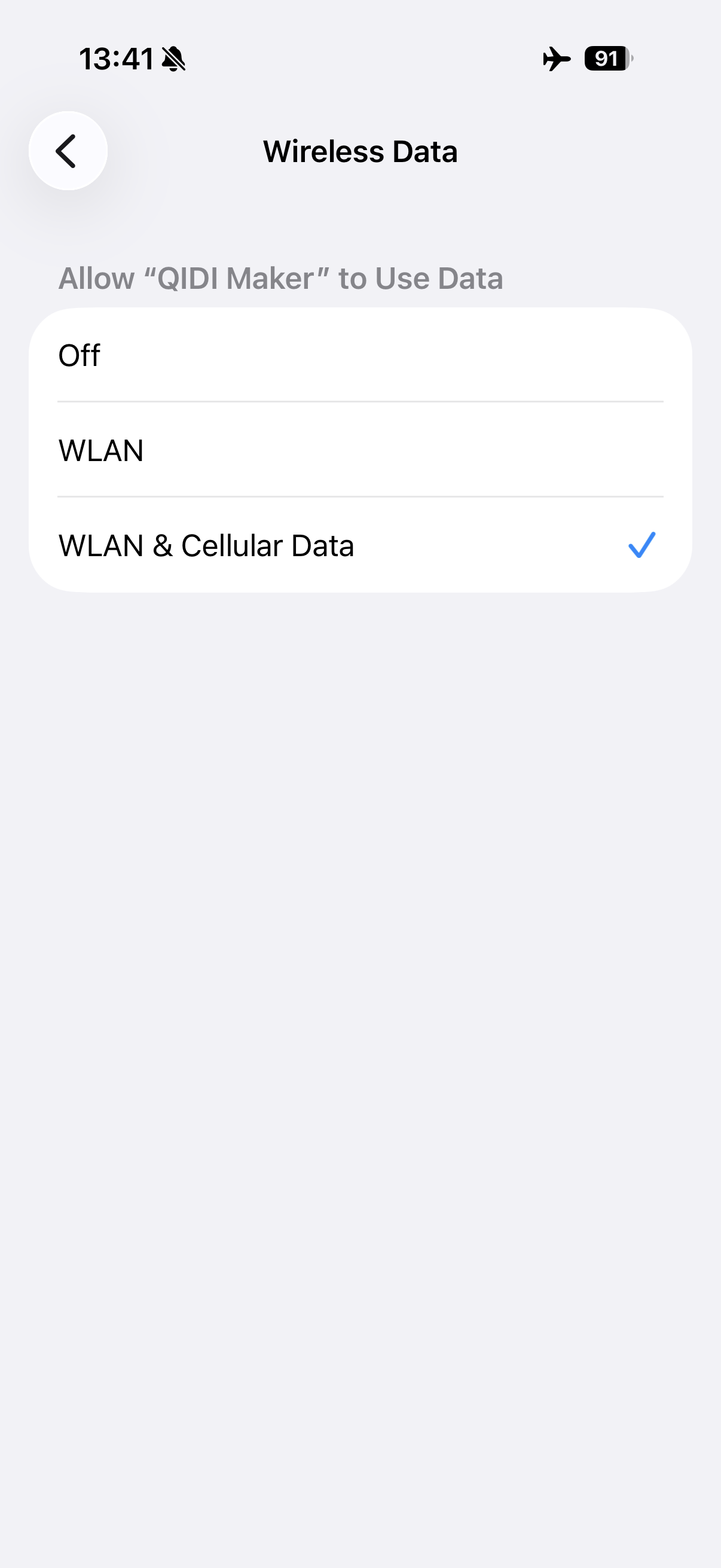
1.Ensure that your phone is connected to the internet and that QIDI Maker has the necessary network permissions.
Tap the Settings > QIDI Maker > Wireless Data > Select the WLAN & Cellular Data.
2.Check if your phone has VPN or other third-party security software enabled. Please disable these applications and reconnect.
3.Verify if QIDI Maker is updated to the latest version. Update to the newest version before attempting to reconnect.
¶ Check the time settings
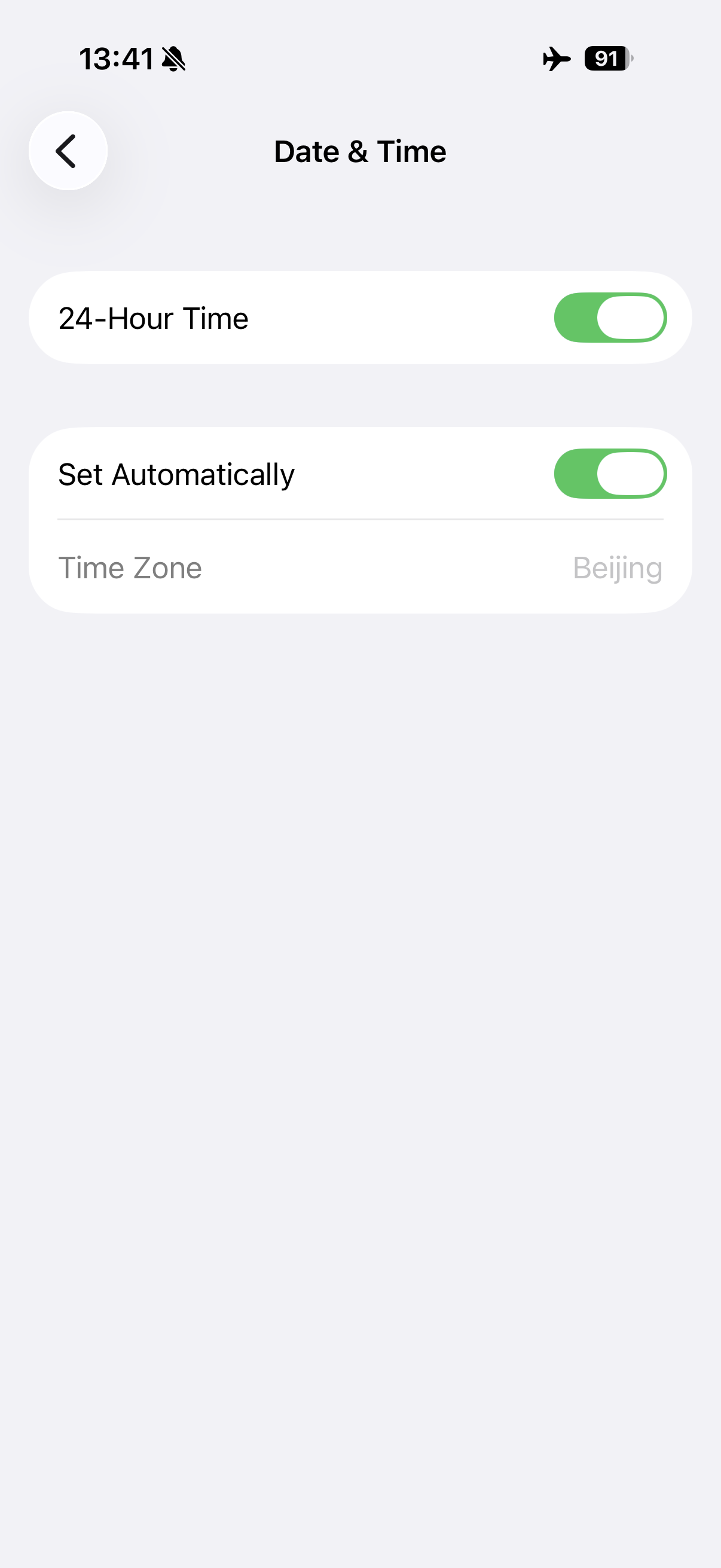
Ensure that the date and time on your phone are correctly set according to your time zone. If the date and time are incorrect, update this information or enable the option for automatic date and time setting.
Tap the Settings > General > Date & Time.
¶ Reset the network settings
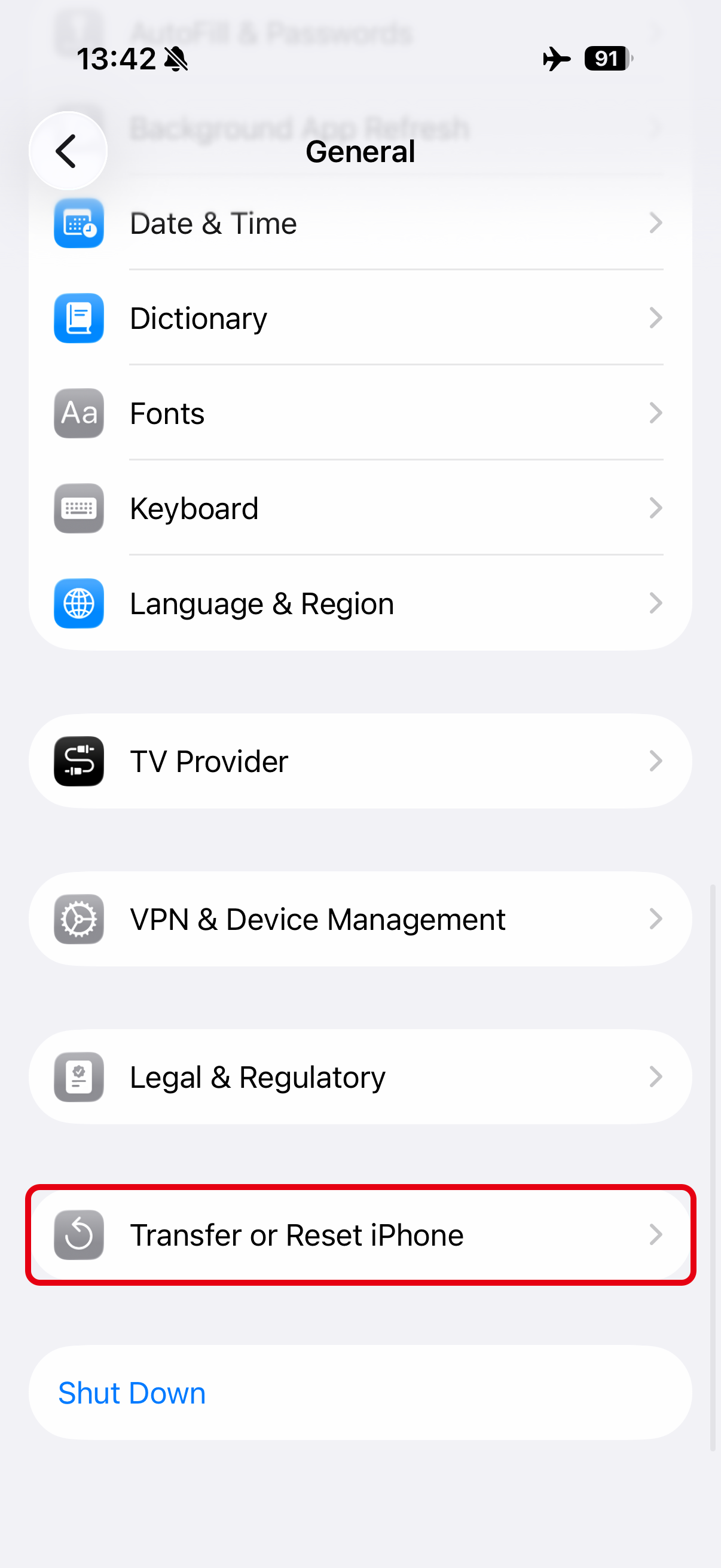
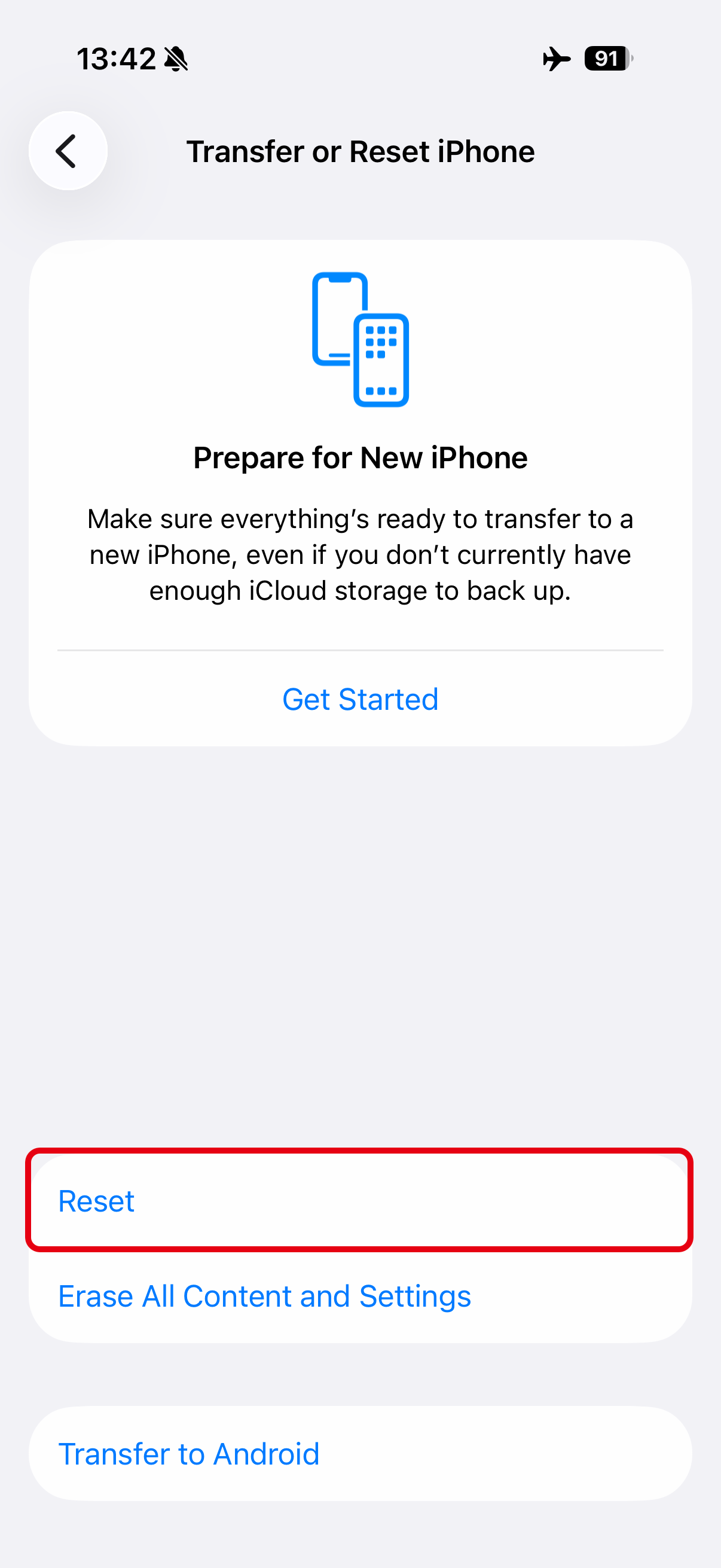
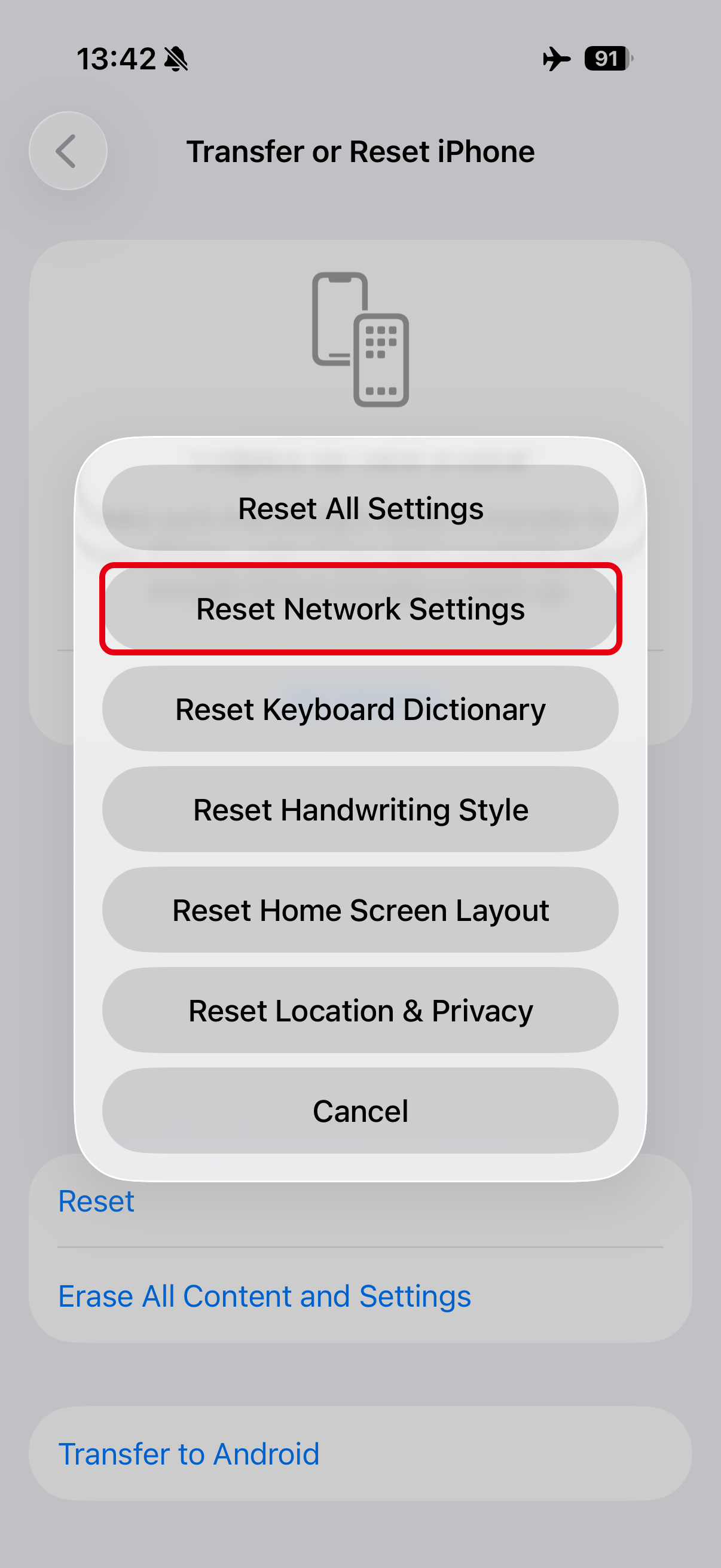
After completing the above checks, if QIDI Maker still cannot connect properly, please update your phone's operating system to the latest version and reset the network settings on your phone.
Tap the Settings > General > Transfer or Reset iPhone > Reset > Reset Network Settings.