¶ Filament Not Sticking to the Print Plate
¶ Z-Offset Adjustment
Strong adhesion between the first layer and the build plate is critical, as the rest of the print will be built on this foundation.
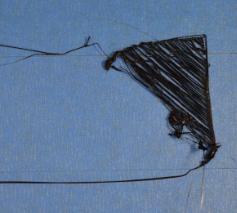
If the first layer fails to stick to the build plate, issues will arise later. Refer to the image below which shows a typical common issue: the nozzle is too far from the build plate, causing the filament not to adhere.
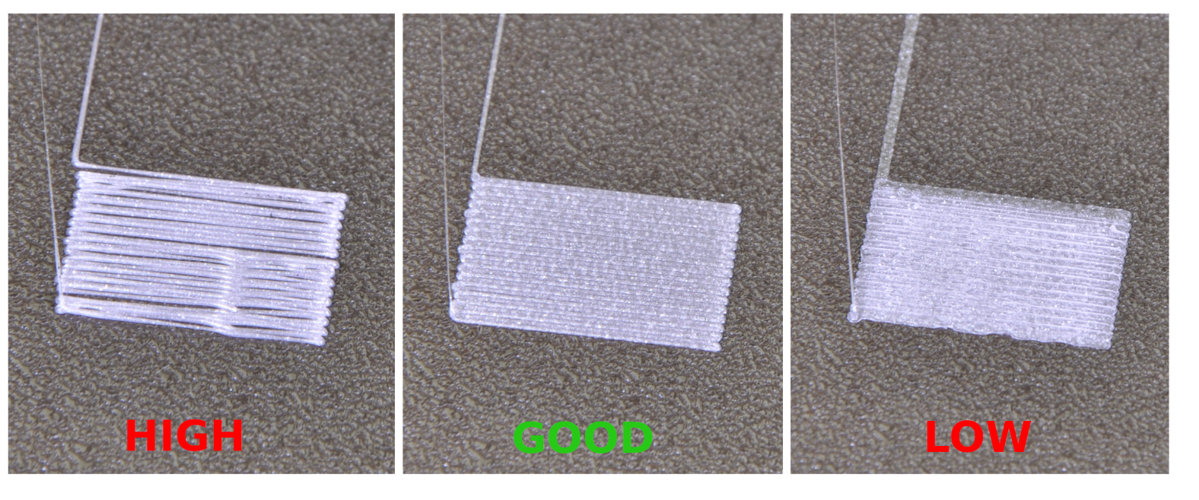
Here are examples showing what a proper first layer should look like. The first example is too far from the bed, the second is ideal, and the third is too close to the bed.
¶ Solution
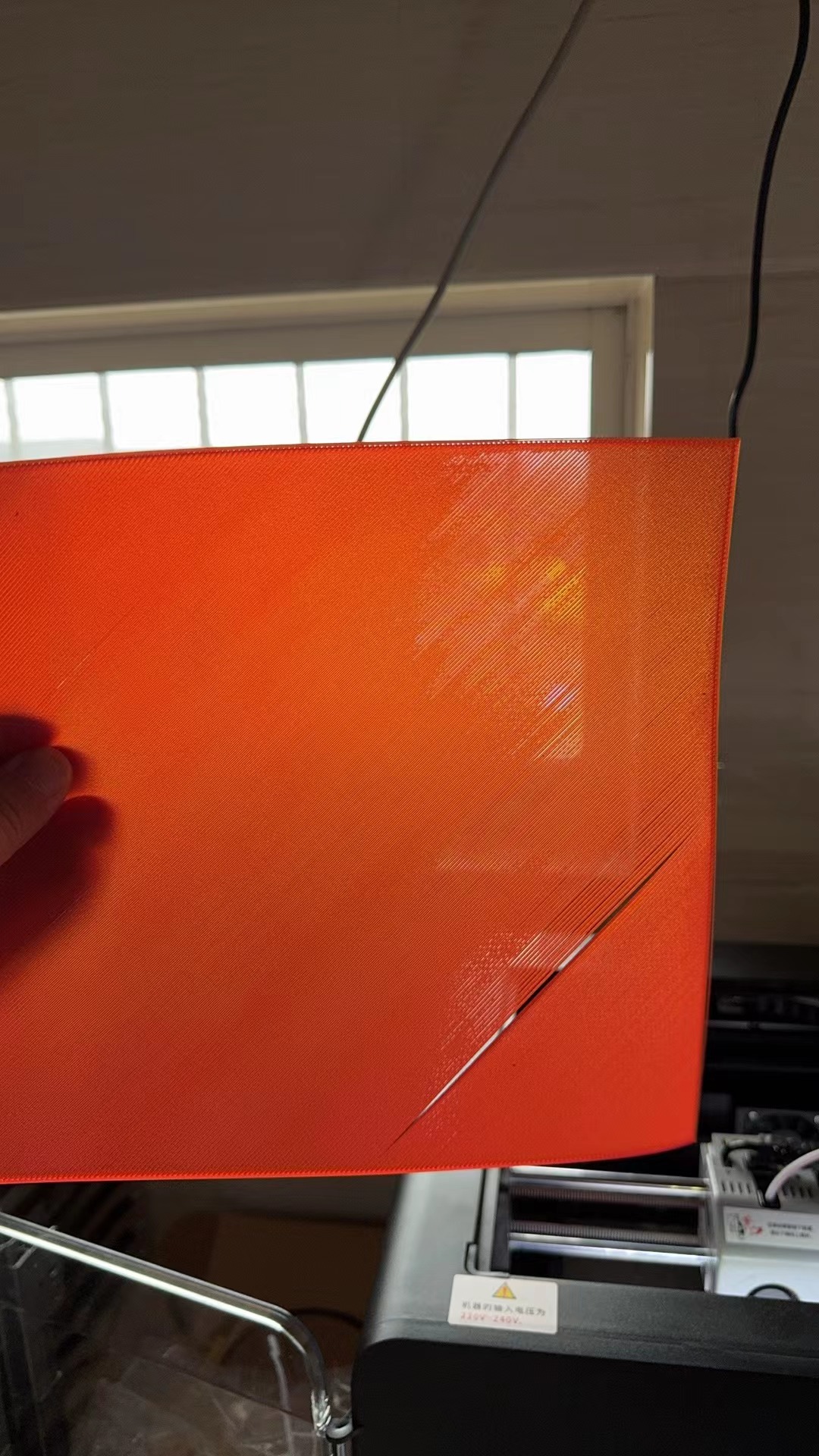
As shown in the figure below, if gaps appear between the lines of the first layer during printing, the nozzle is too far away from the build plate, and you need to adjust the printer’s Z-offset value. The Z-offset defines the distance between the nozzle and the build plate.
The best time to adjust Z-offset is while the first layer is printing. When the toolhead starts printing the first layer, open the Z-offset function on the screen (tap the Z icon as shown). There is roughly a 1-second delay after raising or lowering the build plate, so avoid rapid repeated taps. Start with an adjustment value of 0.05 and observe the result. The adjusted value will be saved automatically.
¶ Cleaning the Build Plate
Build Plate Cleaning Guide
Dirty or greasy build plates can cause adhesion failures. Thoroughly clean the surface before printing.
PEI plate: Clean with IPA or water, PEI is sensitive to grease.
Glue stick: A thin layer of non-toxic glue stick can improve adhesion.
Hairspray: Some users spray a thin layer of medium-hold hairspray on the build plate to boost adhesion.
If problems persist after bed calibration, please contact our support team for assistance.