¶ X-Smart5 Firmware Update
Notes:
- Warning: Do not downgrade the firmware. Downgrading from a higher version to a lower version may cause various operational issues. Always update to the same or a newer version.
- Perform online firmware update after receiving the machine. Only single-color firmware is available for now. Firmware compatible with the multi-color unit will be released later.
- Power off QIDIBOX before the update, and power it back on after the update completes.
- Multi-language UI is newly added. Please contact karl@qd3dprinter.com if you find any translation errors.
¶ X-Smart5 Online Firmware Update
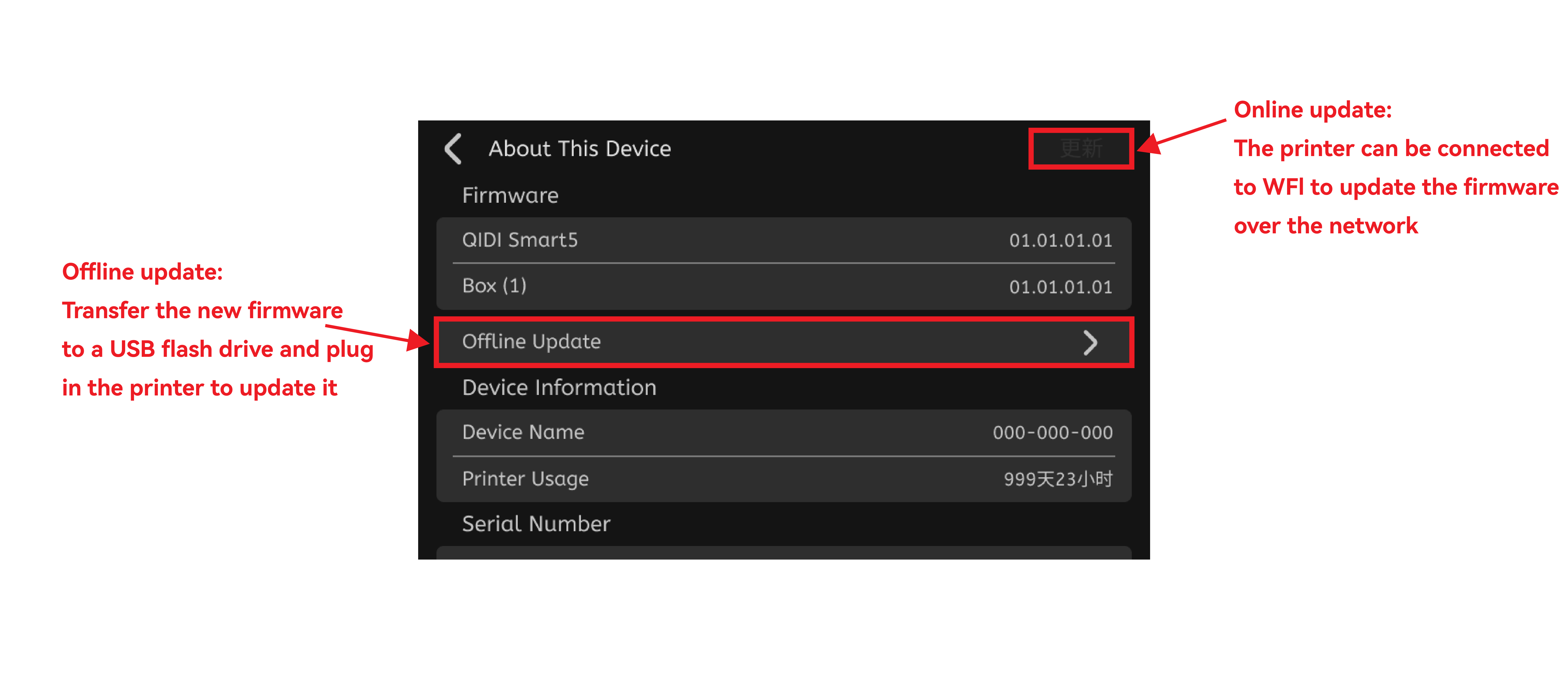
¶ X-Smart5 Offline Firmware Update
¶ Step 1
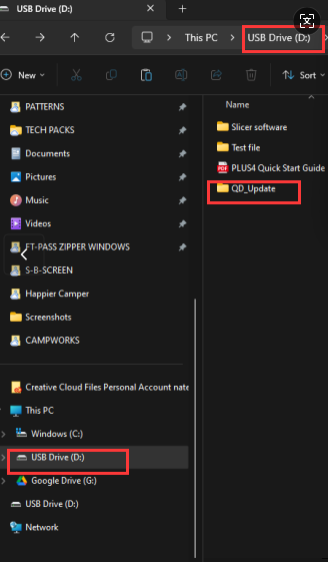
1)Create a new folder on your USB drive named "QD_Update".
2)Please download the packaged file QD_Update.zip, Drag the compressed file directly into the QD_Update folder, no need to extract it.
3)Then, connect the USB device to the printer to proceed with the offline update.
¶ Step 2
After the update is finished, run automatic bed leveling and input shaping calibration.