¶ X-Smart5 3D Printer Wi-Fi / Network Connection Guide
This guide covers how to connect the X-Smart5 3D printer to your network, potential issues and troubleshooting methods.
¶ Introduction
This article describes how to connect the X-Smart5 3D printer to a Wi-Fi network, common connection issues and their solutions.
¶ Applicable Scenarios
Refer to this guide if you are unsure how to connect your X-Smart5 to Wi-Fi, or if you run into problems during connection.
¶ Applicable Model
QIDI X-Smart5
¶ Operation Steps
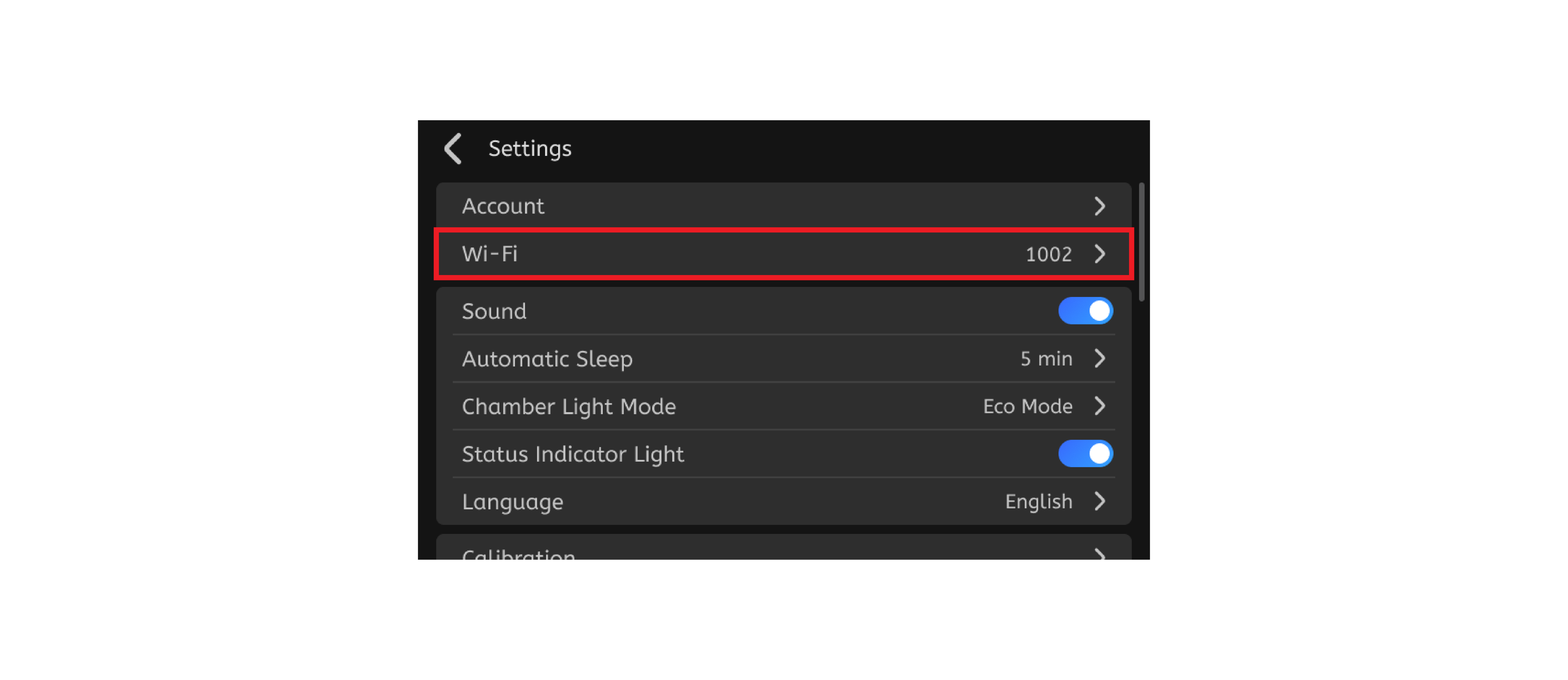
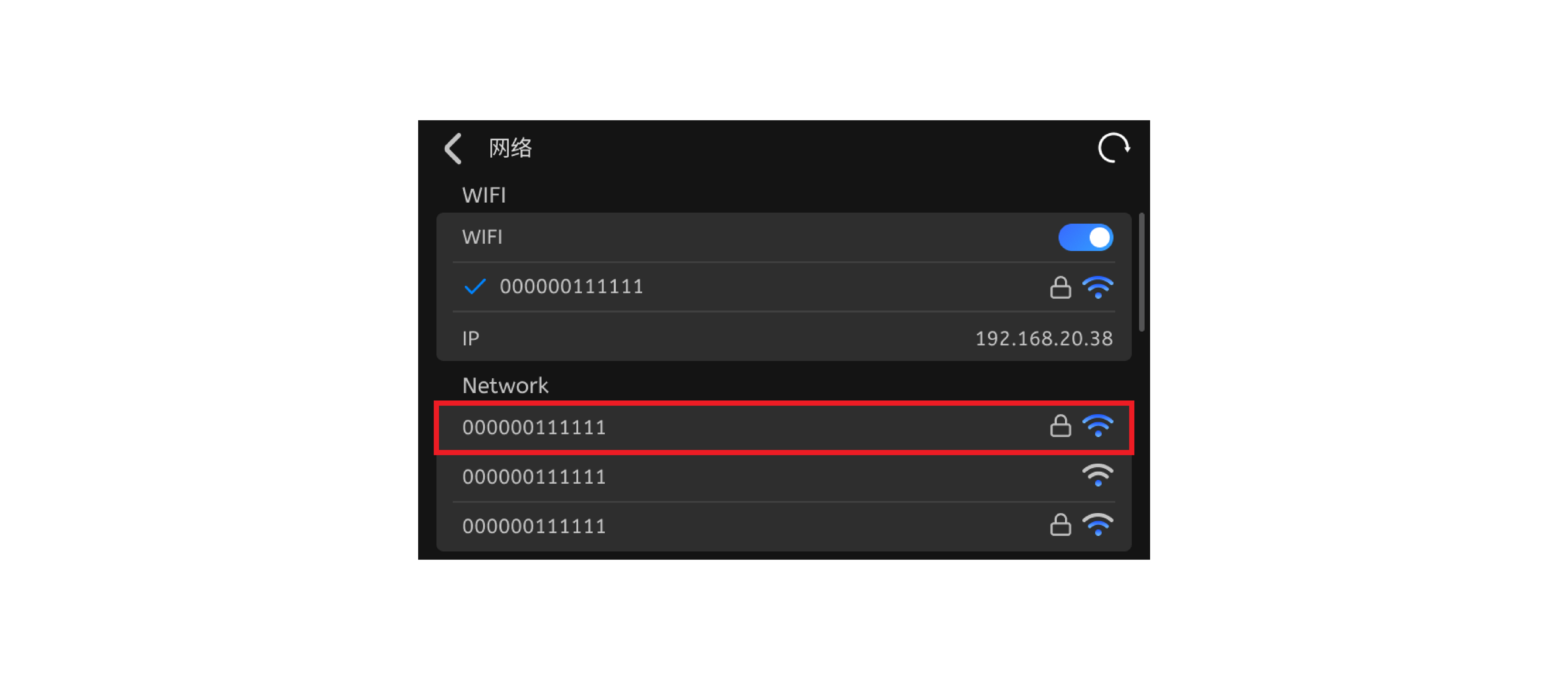
¶ Step 1: Go to the Settings page and tap the "Network" tab. Tap the Wi-Fi button, then locate and connect to your Wi-Fi router.
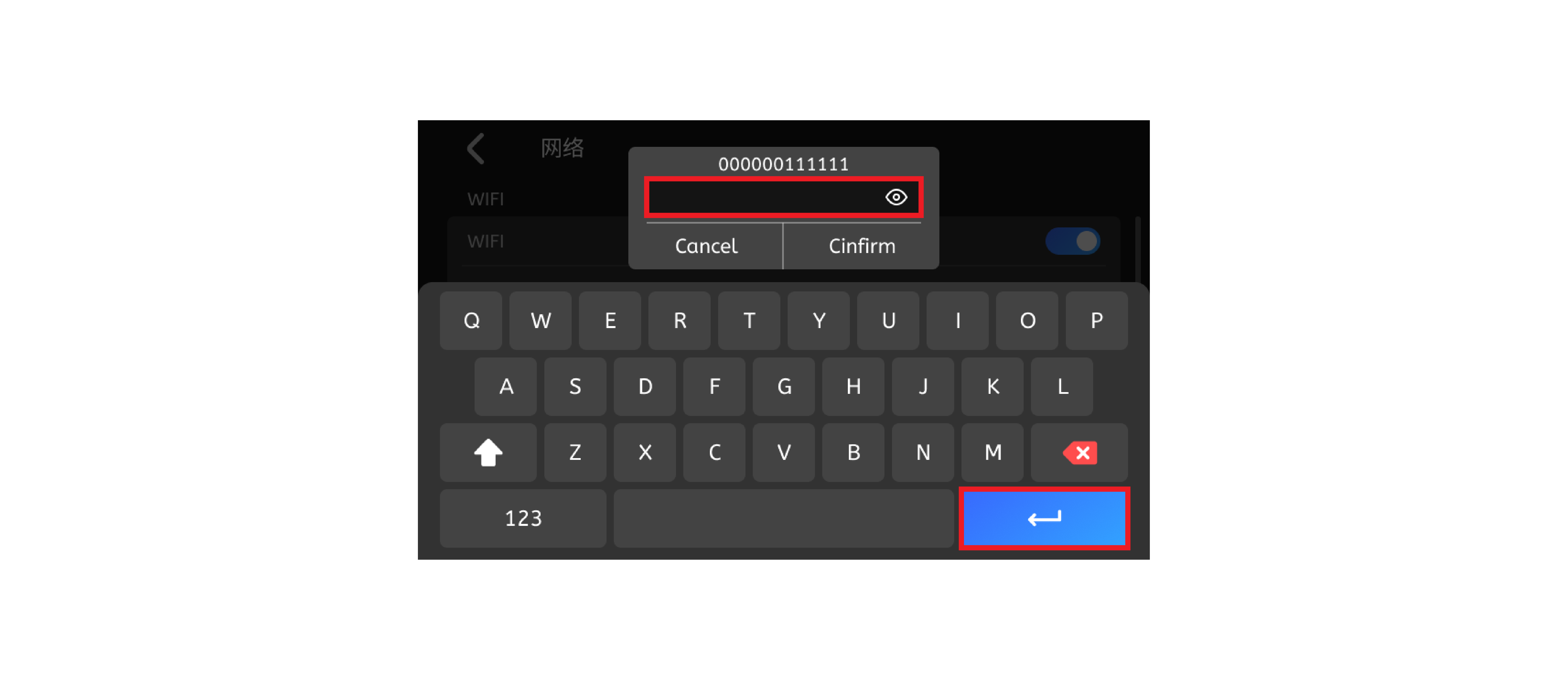
¶ Step 2: Select your Wi-Fi network, enter the password and press Enter.
¶ Add the Printer to QIDI Studio
- Connect both the printer and your computer to the same Wi-Fi network.
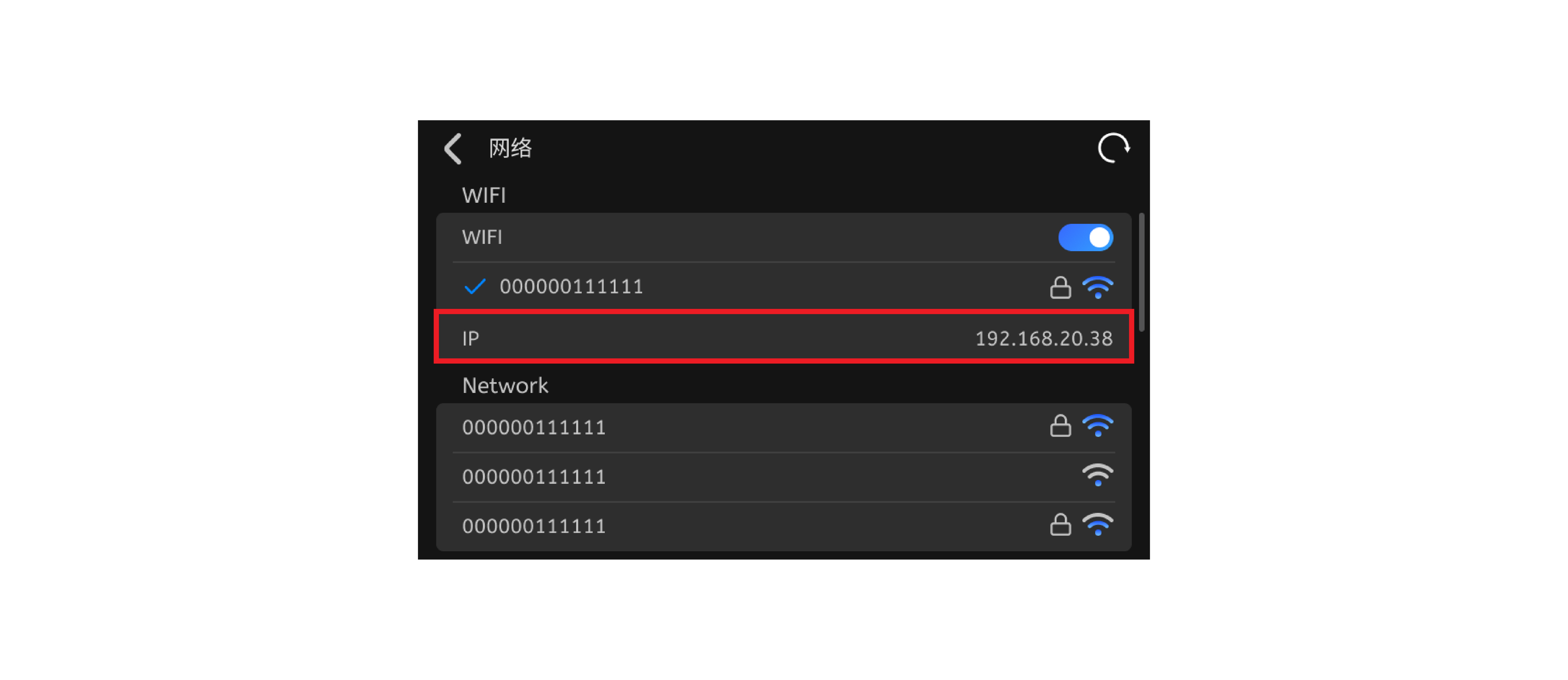
- Go to printer Settings -> General Settings -> Network to view the printer IP address.
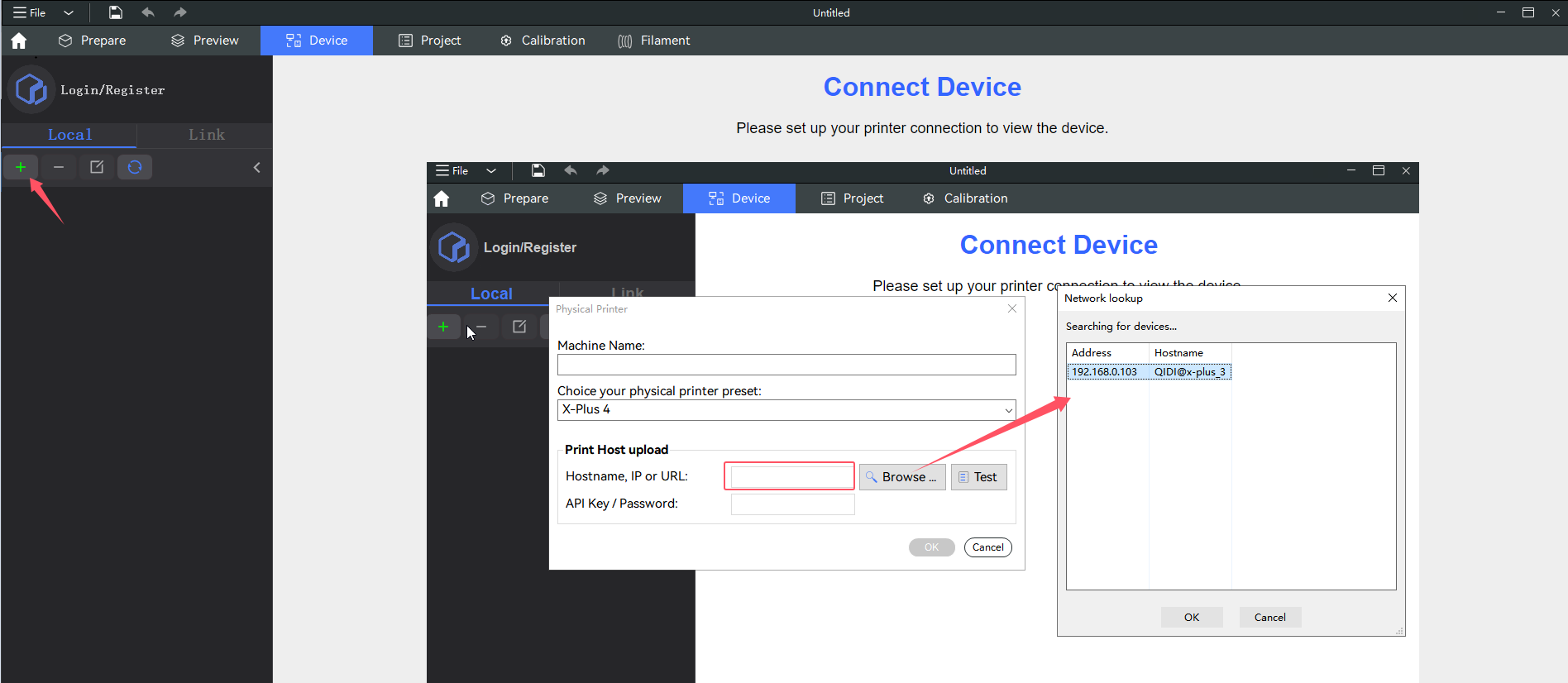
- Open the "Devices" tab in QIDI Studio and click "+" to add a printer. Make sure you select the correct printer preset for your device.
- You may enter the printer IP address manually or search for the device.
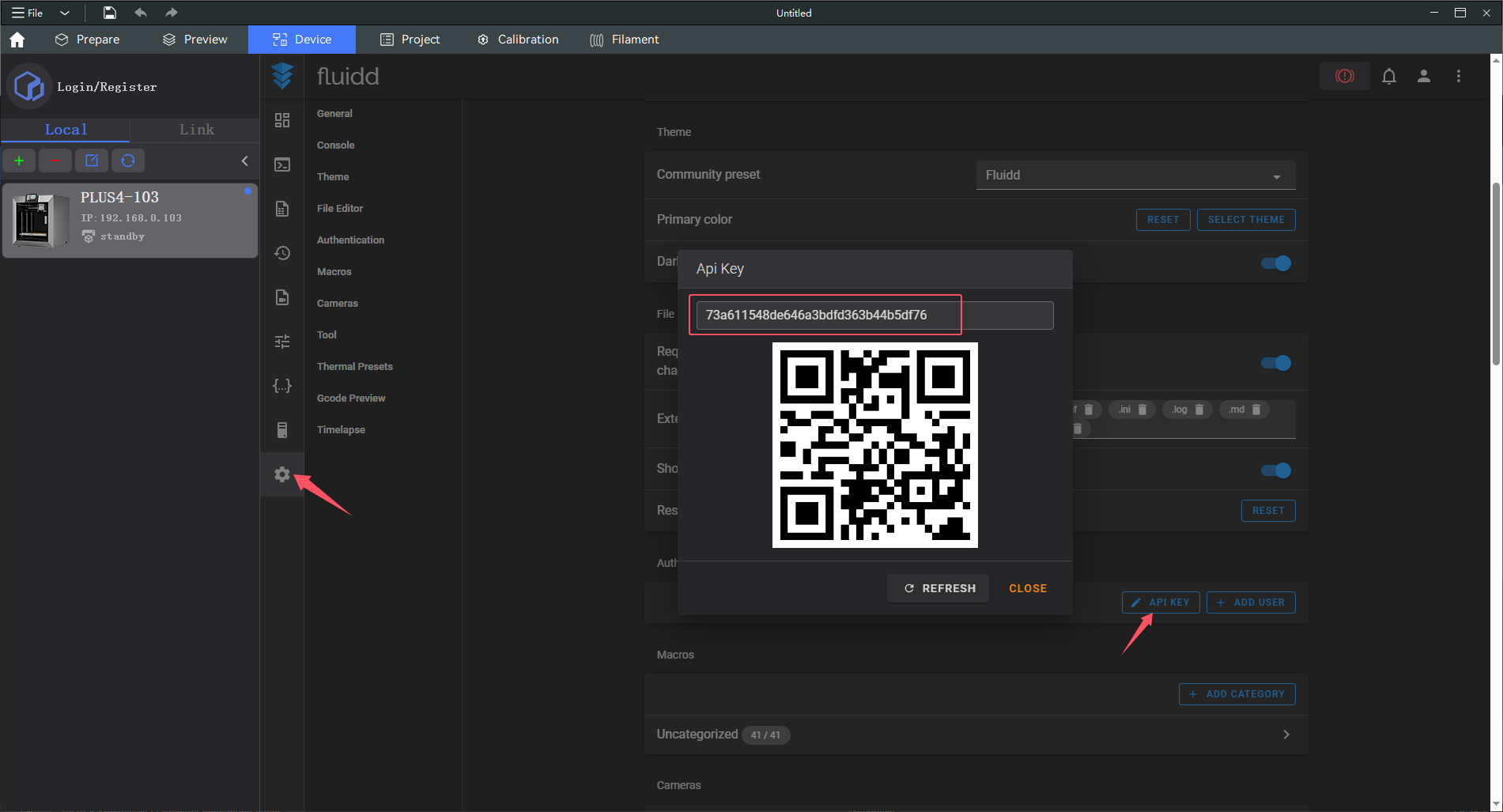
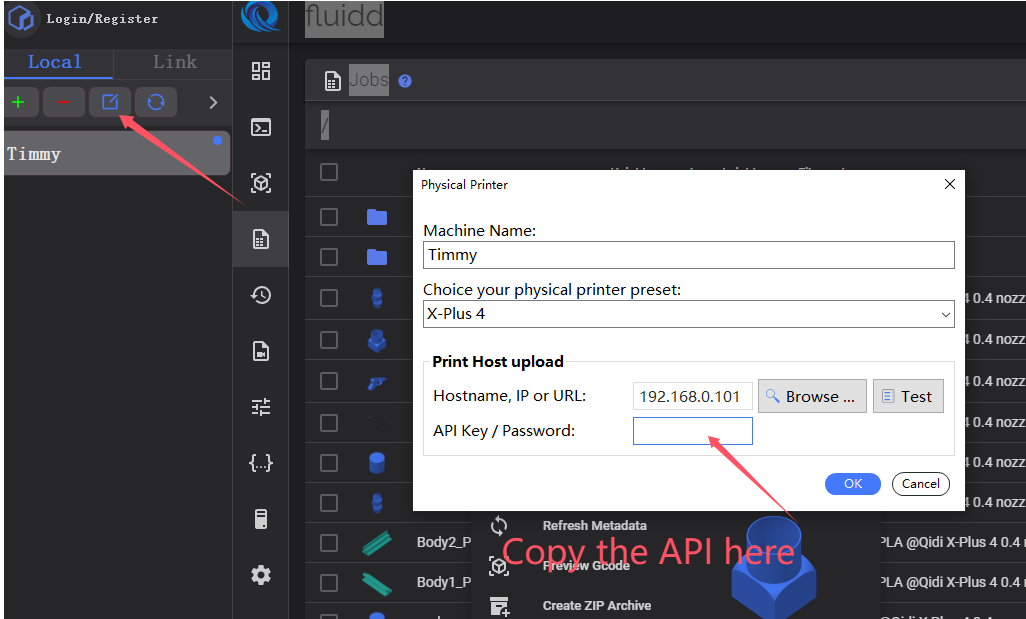
If you have added a Fluidd account, you will also need to enter the API KEY. Otherwise, you cannot send print files.
¶ Fluidd
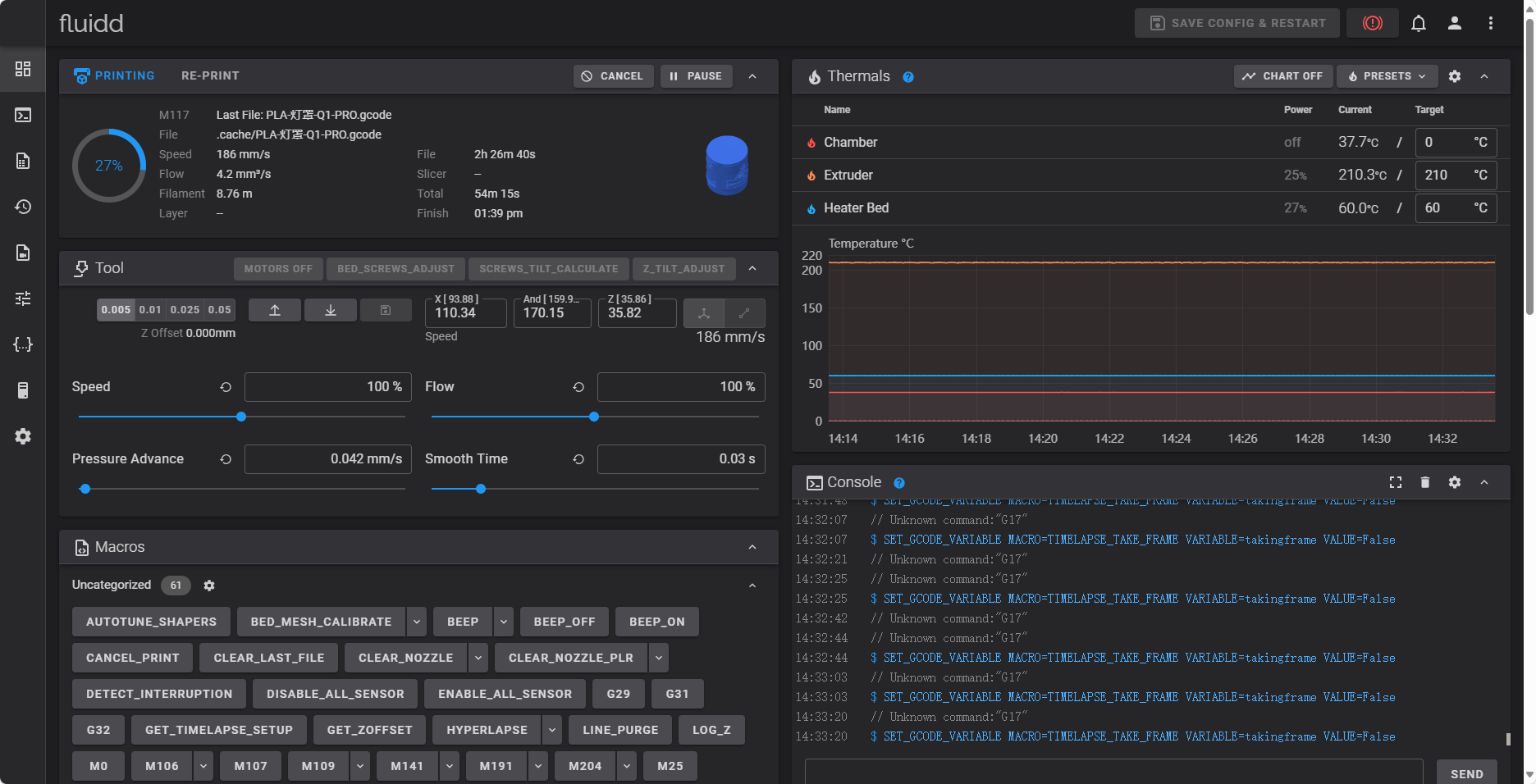
Fluidd is a powerful web-based interface for controlling and monitoring your 3D printer.
Through its web UI, you can move the toolhead, monitor real-time printer status, print progress, temperature values and more. You can adjust print settings to start or stop ongoing prints. This simplifies print management and optimization to boost productivity and print quality.
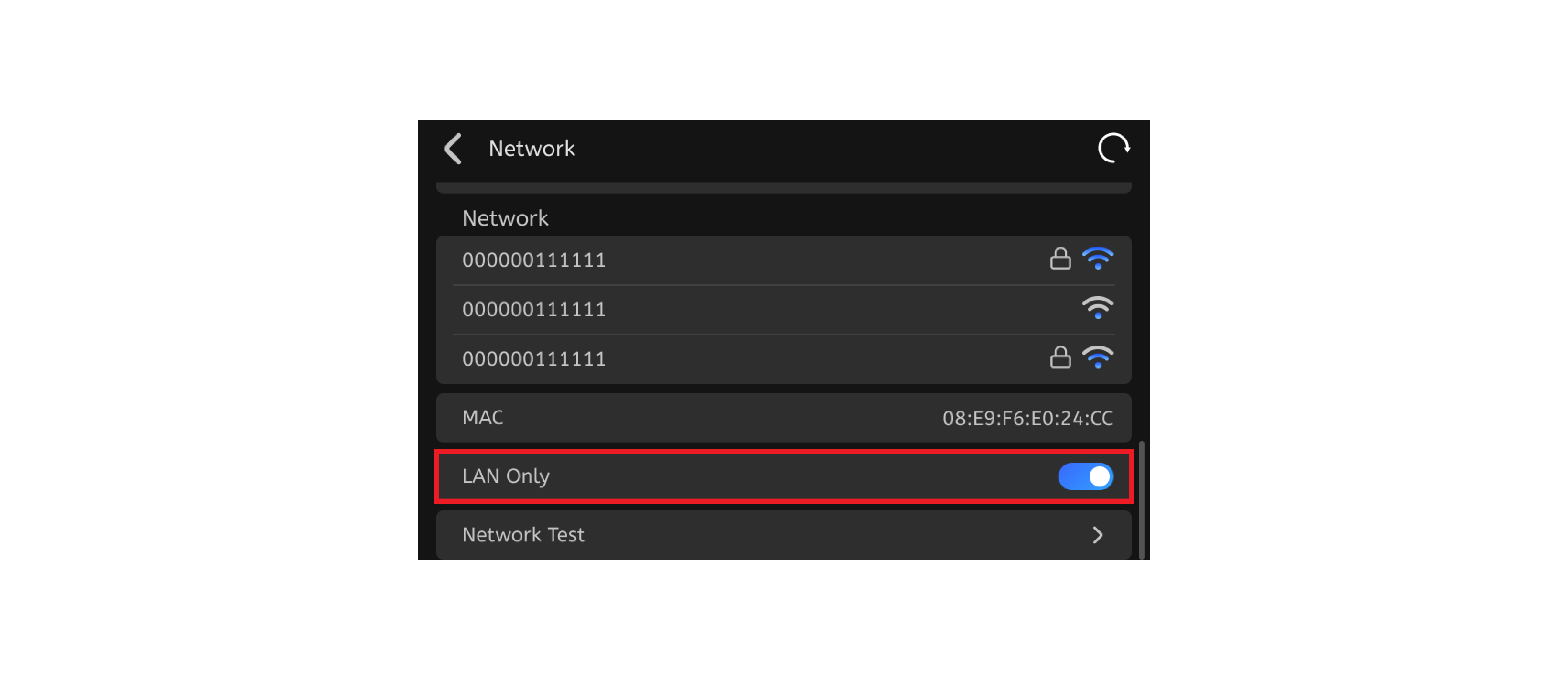
¶ X-Smart5 3D Printer LAN-only Mode
When this mode is enabled, the printer will disconnect from the internet and the QIDI AWS cloud server.