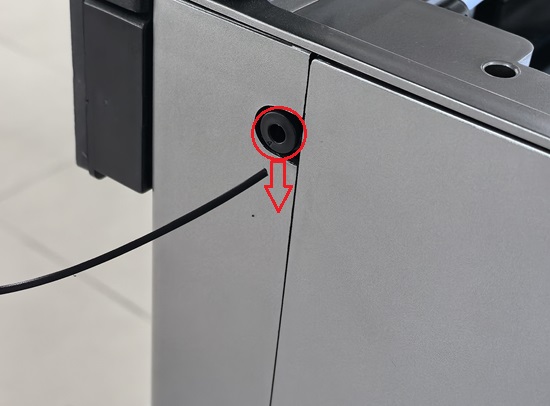
¶ Replacing Filament — X-Plus 4
Follow the steps below to replace the currently loaded filament.
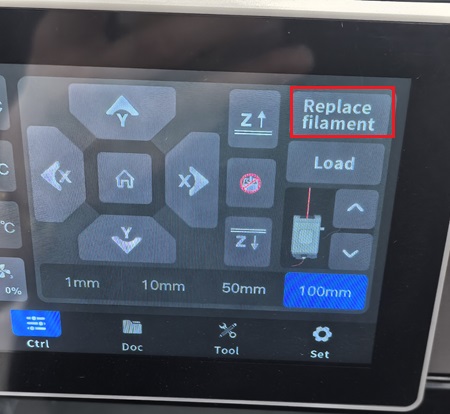
¶ Step 1 — Open the Replace Filament function
Tap Replace Filament on the touchscreen.
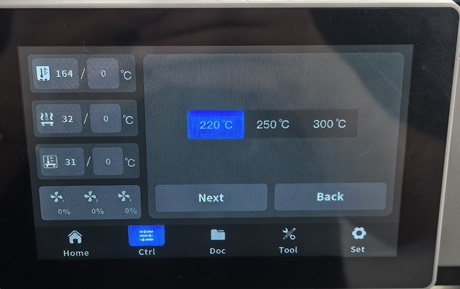
¶ Step 2 — Set the temperature
Select the printing temperature for the current filament.
The nozzle will heat to the selected temperature.
¶ Step 3 — Automatic unloading
The printer will automatically begin the filament unloading process.
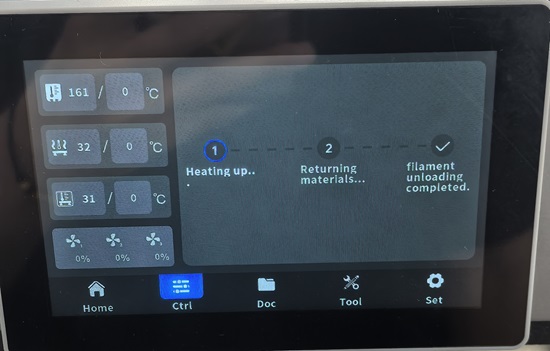
¶ Step 4 — Unloading complete
After unloading is complete, a confirmation message will be displayed on the screen.
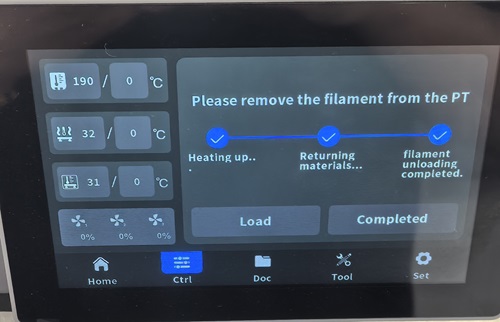
¶ Step 5 — Remove the filament
Remove the filament from the feeding port.