¶ Camera Settings — X-Plus 4
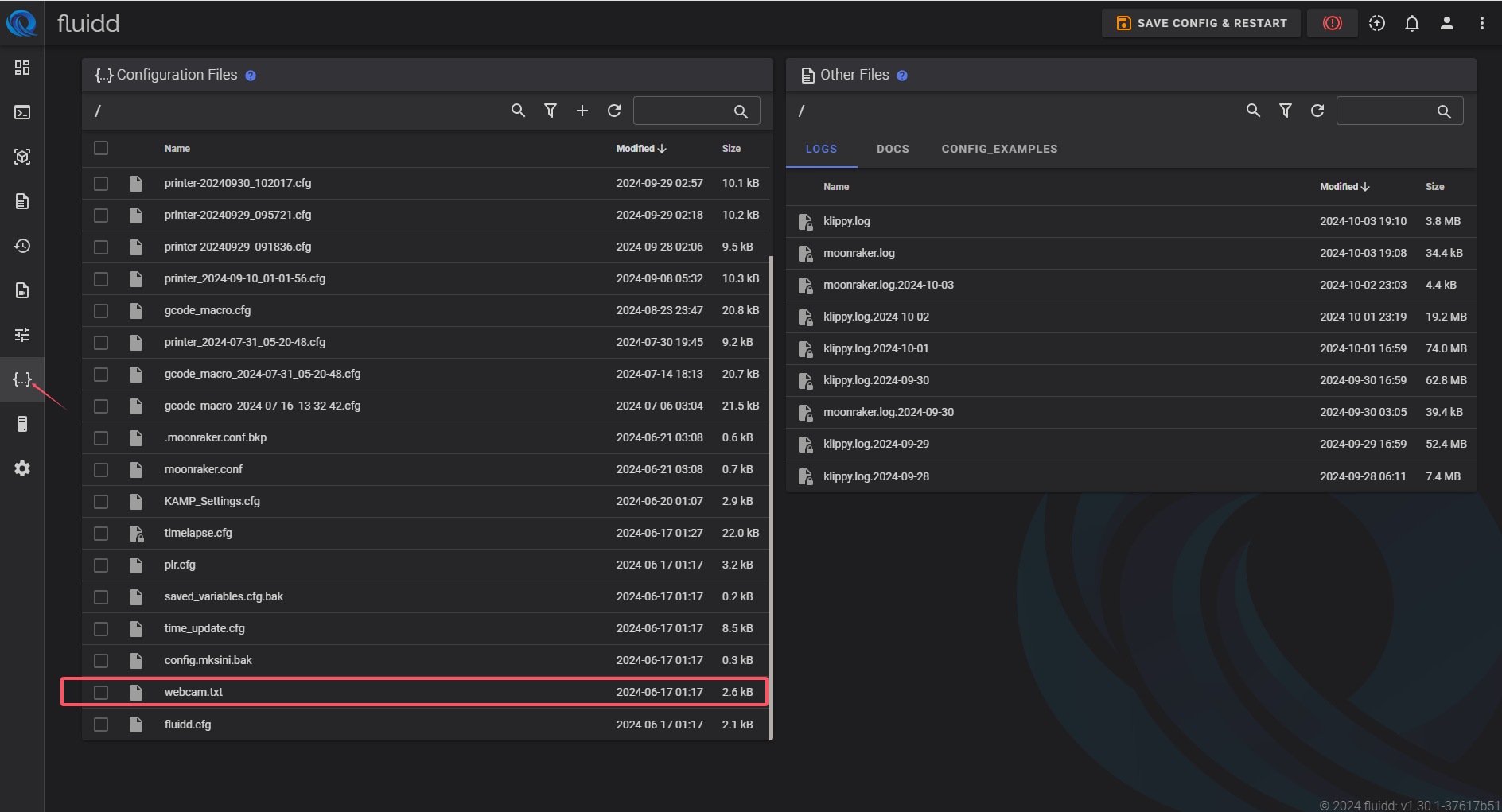
The camera parameters can be modified through the webcam.txt configuration file.
¶ Step 1 — Open the configuration file
Open the webcam.txt file.
¶ Step 2 — Modify camera parameters
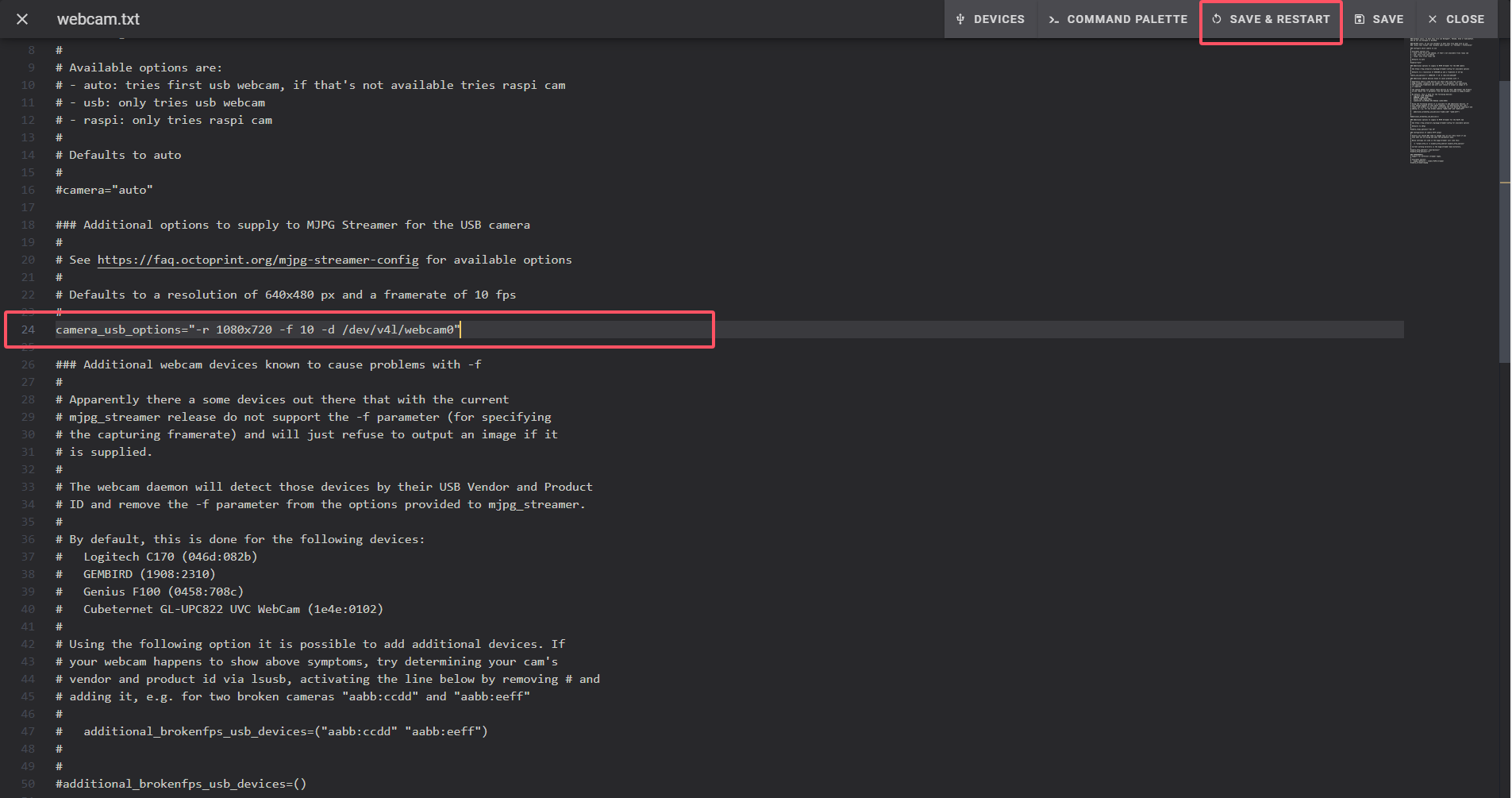
Edit the parameters as required.
Example configuration:
-r 1080x720
-f 10
-r 1080x720→ Sets the resolution to 1080 × 720-f 10→ Sets the frame rate to 10 fps
After making changes, click SAVE & RESTART to apply the new settings.
Warning: Do not set the frame rate higher than 10 fps.
Higher frame rates may affect printing performance.