¶ Export Klipper Log — X-Plus 4
Klipper log files are used for troubleshooting and technical support.
You can export logs directly from the printer screen or from the Fluidd interface.
¶ Export from the Printer Screen
- Insert a USB flash drive into the printer.
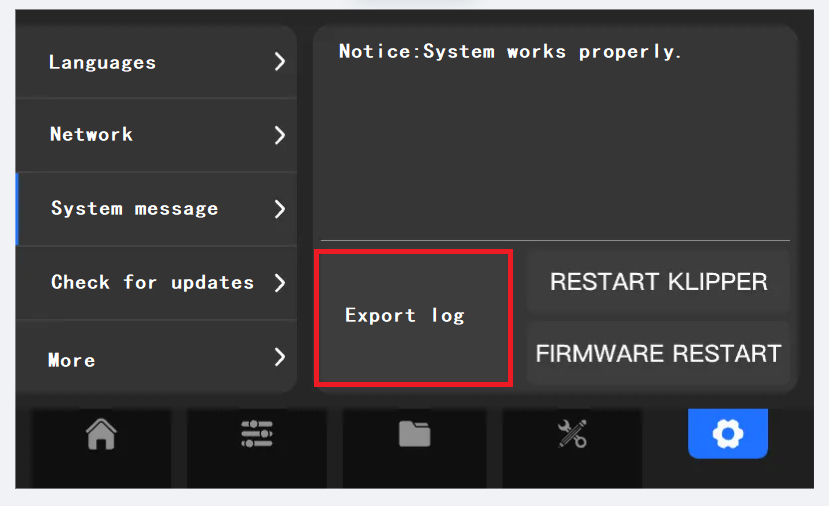
- On the touchscreen, tap the Export Log option shown below.
- Wait until the USB flash drive indicator light stops flashing.
- Remove the USB flash drive.
The log files will be saved in the QD_Log folder on the USB flash drive.
¶ Export from Fluidd
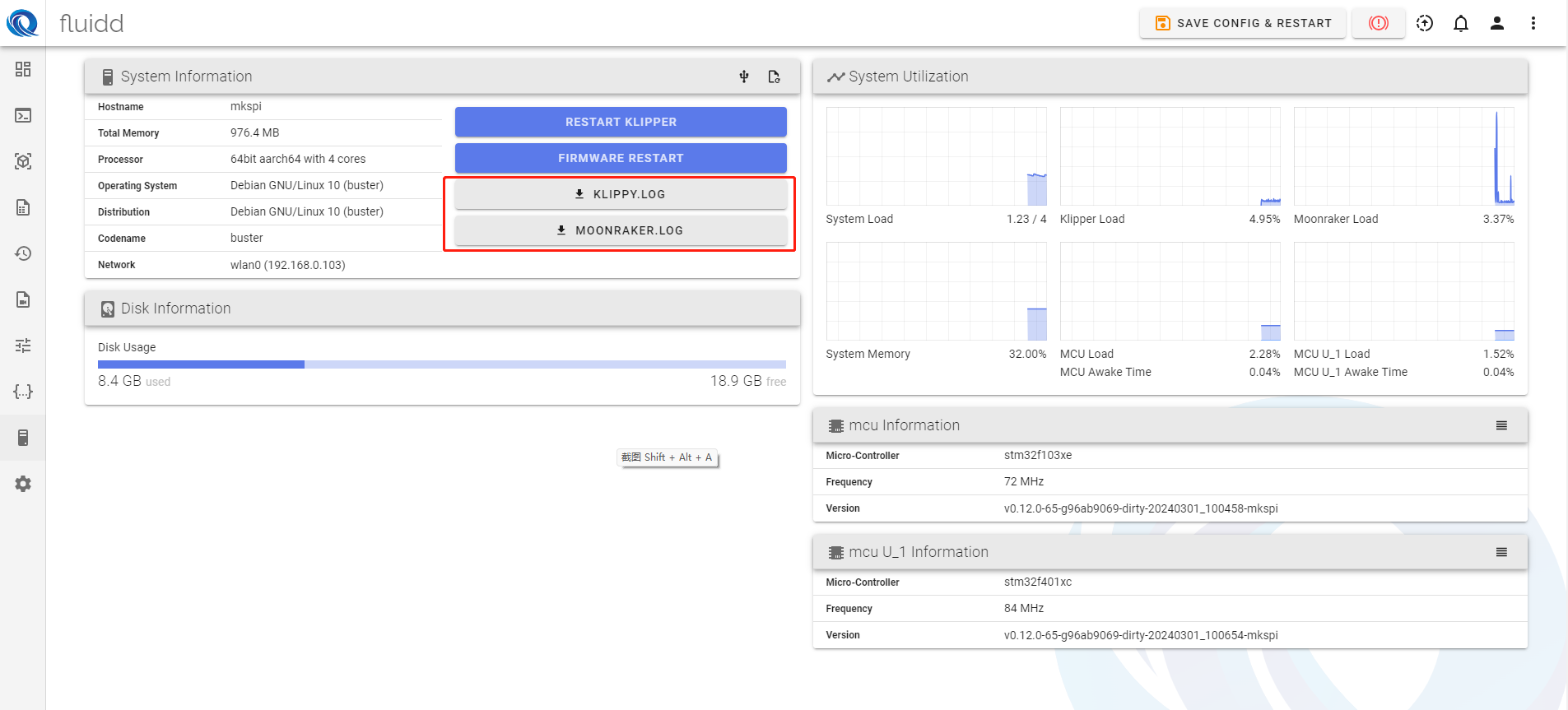
- Open the Fluidd interface.
- Go to the System tab.
- Download the following files:
klipper.logmoonraker.log